Describe your business.
Get a system that runs it.

Replace spreadsheets and duct-tape workflows with software that evolves safely through conversation.

Every system includes
Build my system See Snill in action
Need a head start? Start from a template →
Built by the team behind restdb.io and codehooks.io — serving thousands of developers since 2016.
Before

Expense approvals buried in spreadsheets and email threads.

After

A complete expense management system — approvals, dashboards, REST API, and AI reporting — built in one conversation.

What Snill actually does

Not a builder.
A business system that builds itself.

Behind every app: a real database, access control, and a live API — generated for you, not improvised. The foundations that make it dependable are built in.

Start with what you already know

Describe your business — your clients, your projects, how billing works, what you track. No forms to fill out, no schema to design. Just explain it like you would to a smart new team member.

Prefer a head start? Begin from a Snapp — a ready-made Snill app template — instead of a blank page.
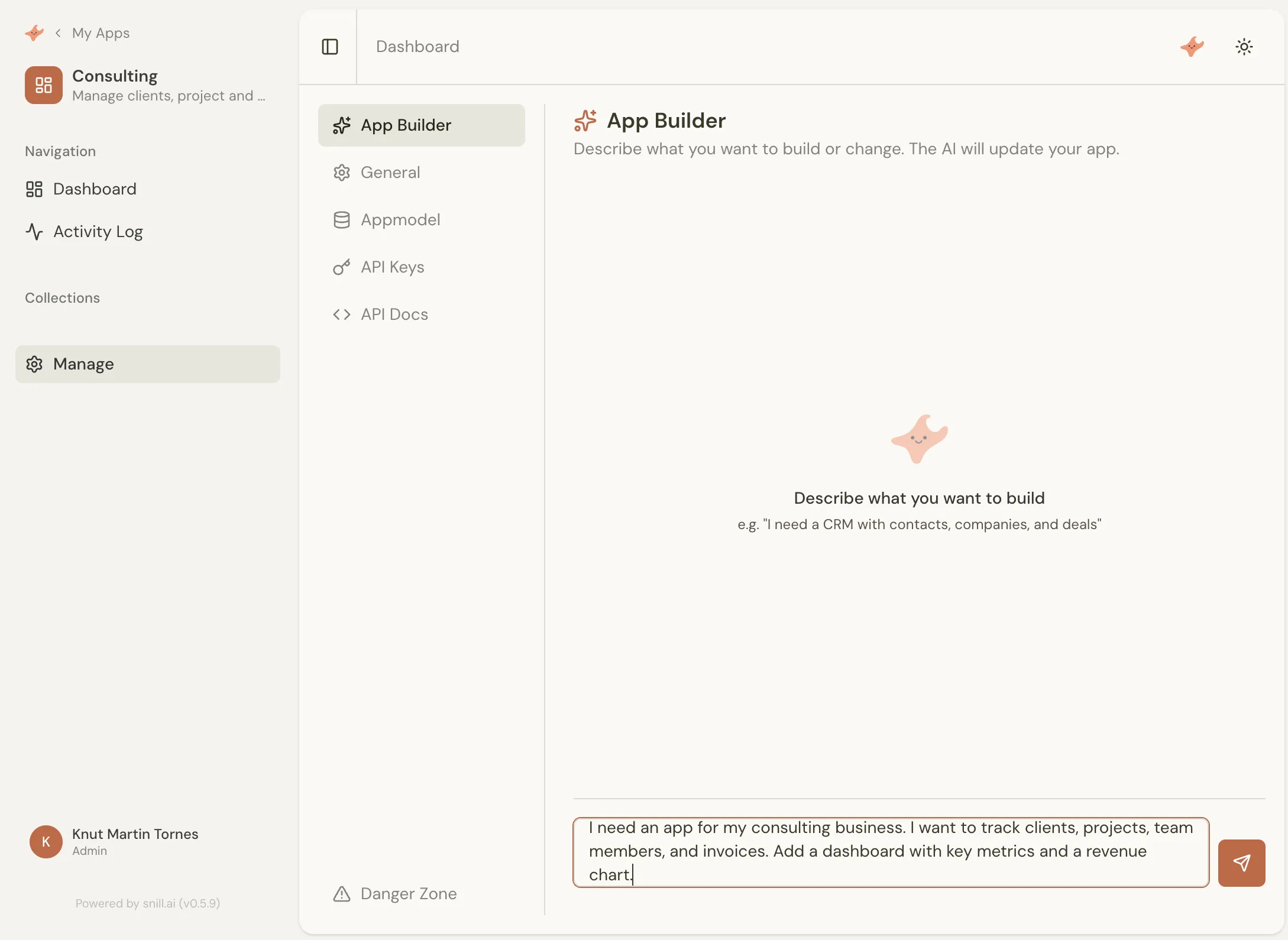
Snill app builder showing a natural language prompt describing a consulting business app

Get a working system in seconds

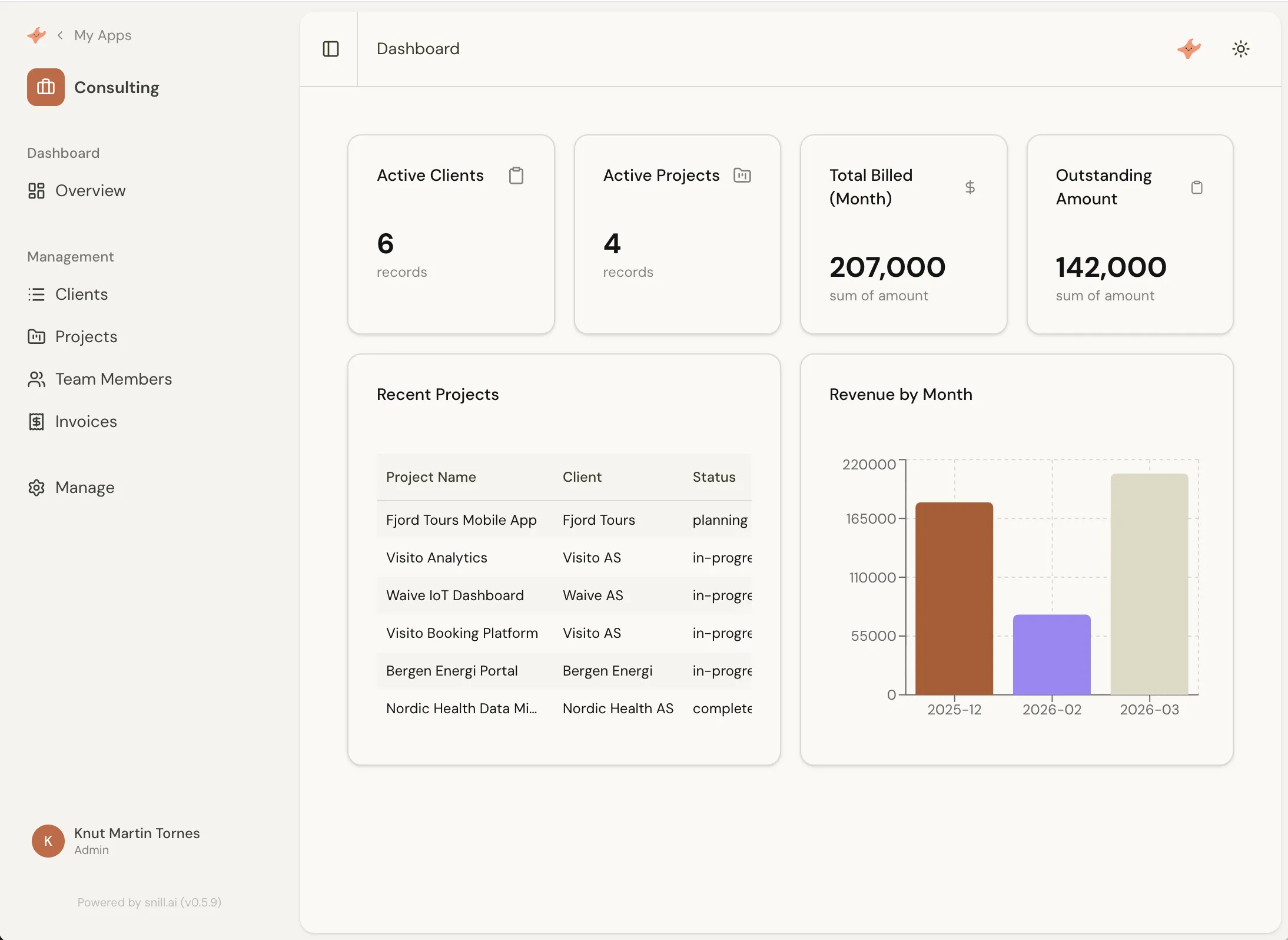
Snill generates a complete application — data model, dashboards, relationships, and a live API — deployed and ready the moment you hit send.

Auto-generated dashboard with active clients, projects, billing metrics, and a revenue chart

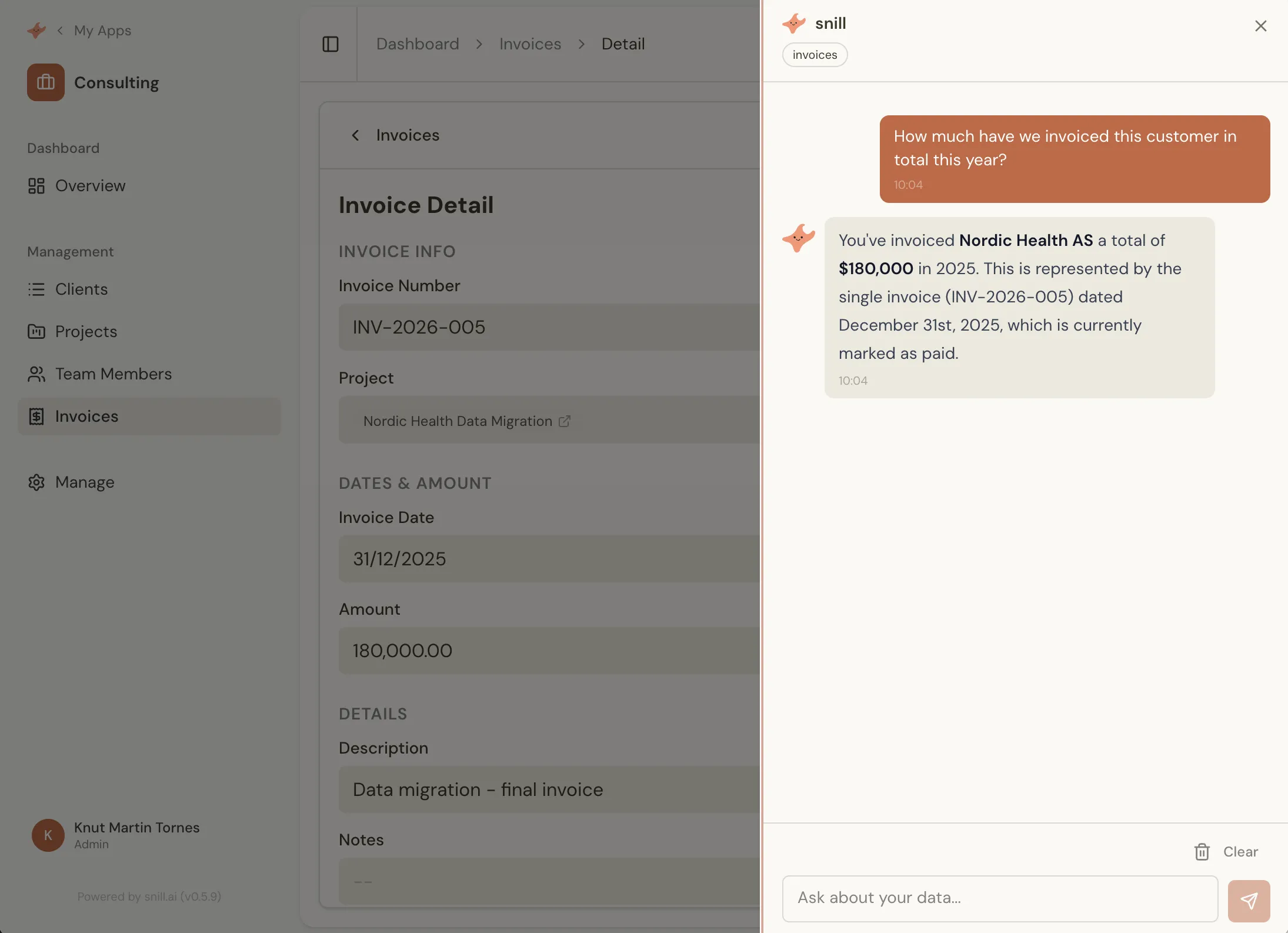
Ask anything about your business

Query your data the way you'd ask your best analyst. Snill understands the context — your clients, your projects, your numbers — and gives specific, useful answers.

AI generating a Revenue and Project Status Report with executive summary, revenue chart, and client breakdown

A proper data model underneath

Collections, fields, relationships, and validation rules — all generated from your description. A real database-backed system, not a spreadsheet with a skin on it.
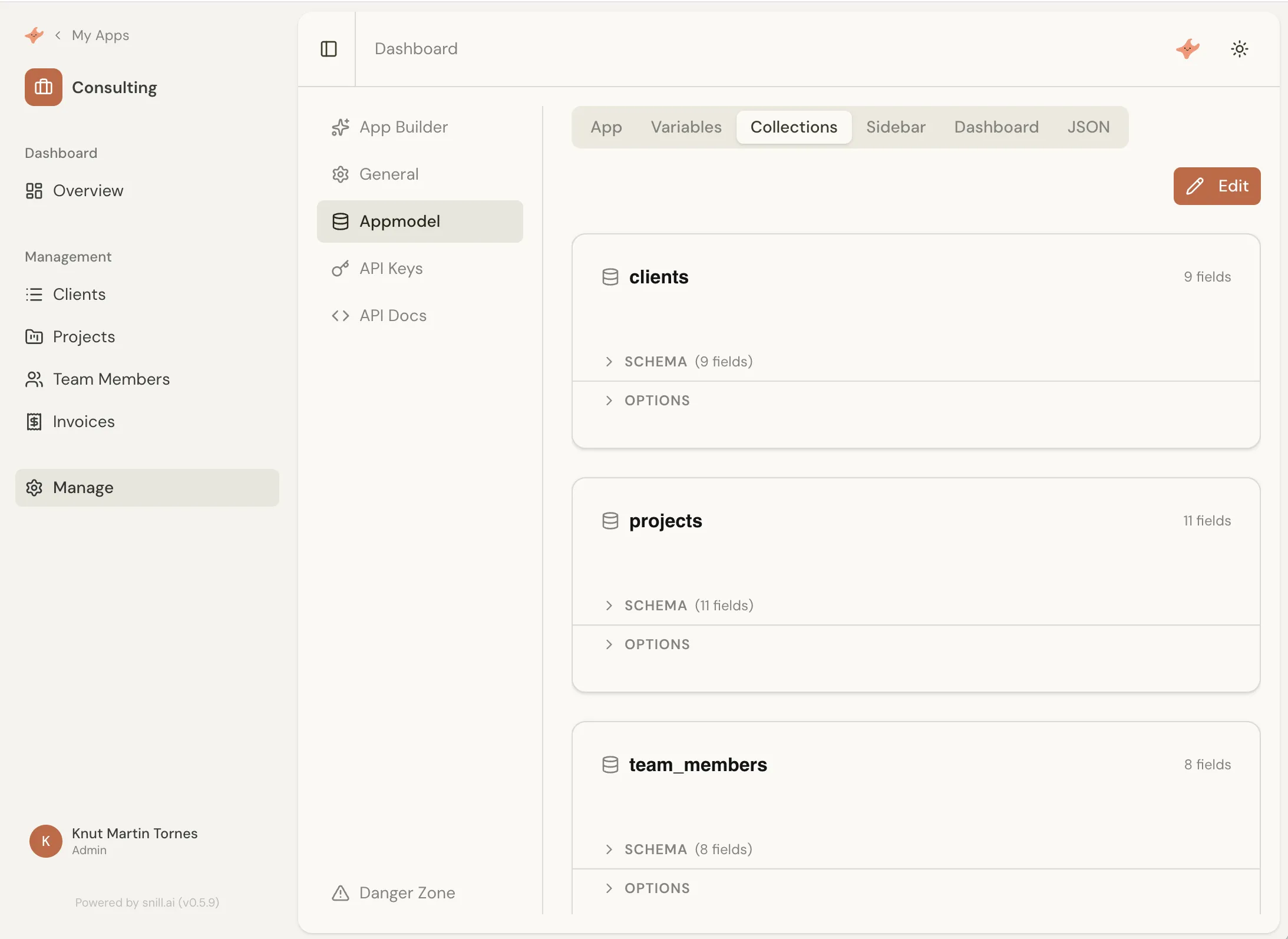
Data model editor showing collections, fields, and the relationships between them

API and integrations from day one

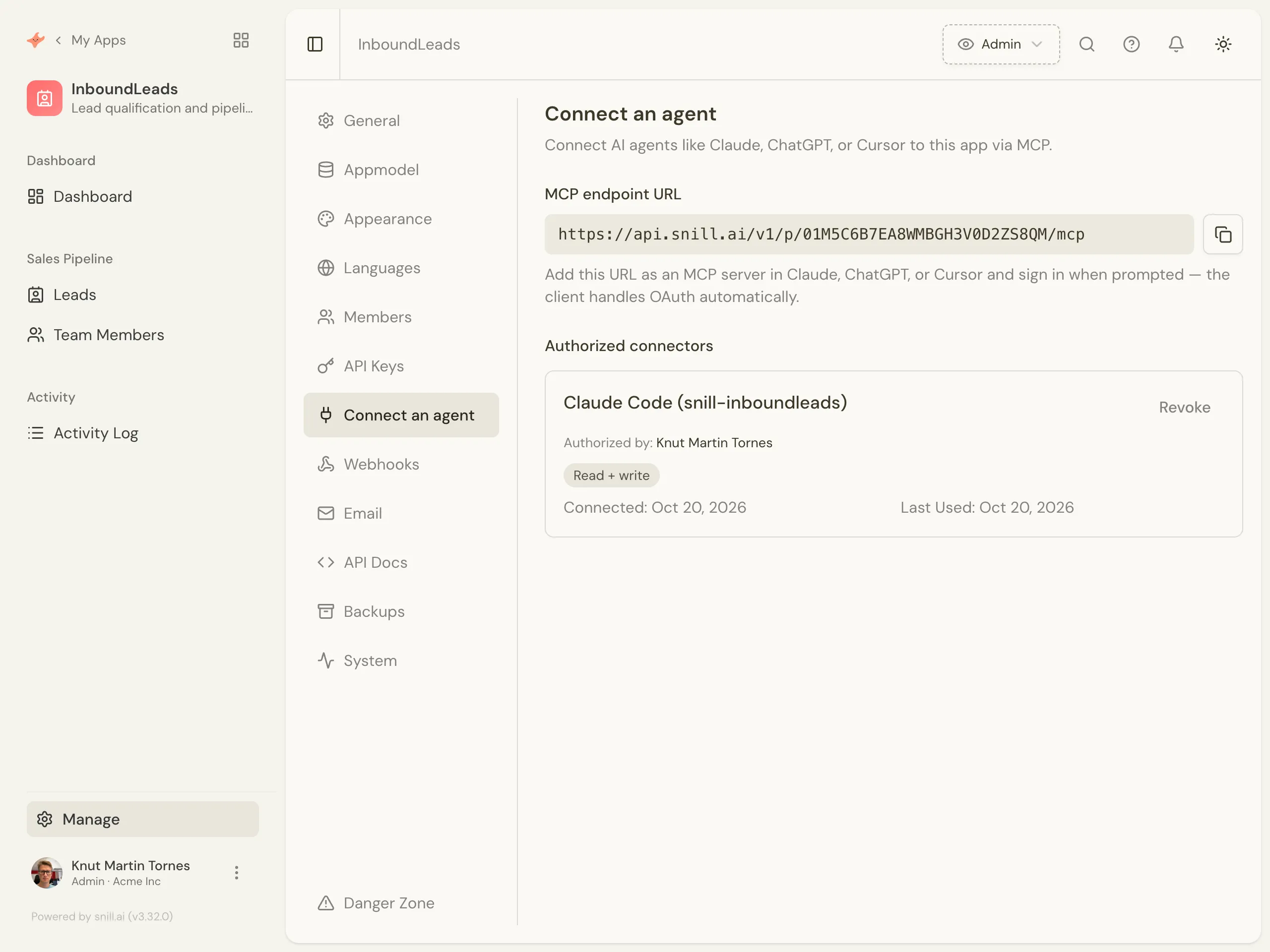
Every system comes with a REST API, OpenAPI spec, and webhooks. Connect to your accounting software, your website, your automation tools — no developer needed.

Creating a scoped API key with per-collection read, create, update, and delete permissions

It grows as your business grows

Most software freezes the moment it ships. Snill doesn't. Add a new process, restructure how you track clients, rethink a dashboard — and the system reshapes to match. No migration project, no rebuild, no waiting on a developer to make the change.

A dashboard Snill built during a real session — stat cards, a projects-by-status pie, and an hours-by-project bar chart

Watch it happen, unedited.

A consultancy app — clients, projects, time tracking, invoices, reports, and access rules — built and fine-tuned in one plain-English conversation. The actual session, start to finish.

Read the real session

What does your business need?

Perfect for teams replacing spreadsheets, Airtable, Microsoft Lists, Notion databases, and custom internal tools.

Start from a template

Start from a Snapp.

Want a flying start? A Snapp is a ready-made Snill app template — start from one and customize it in plain English.

Consulting Manage clients, consultants, projects and billable time tracking, with a ready-made dashboard. View template → Expense Employee expense tracking and approval, with AI receipt scanning, itemized line items and a ready-made dashboard. View template → Contracts Track contracts, vendors and renewals with AI document scanning, notice-period alerts, a status workflow and a compliance dashboard. View template → Incident Reporting Report incidents and deviations with AI photo scanning, severity triage, a review workflow, linked corrective actions and an HSE compliance dashboard. View template →
Browse all templates →

Production-grade from day one.

Relational data model Lookups, calculated fields, proper relational structure — not flat tables.
REST API + OpenAPI spec Every system gets a full API with auto-generated docs.
Dashboards & custom pages KPIs, charts, tables, activity feeds — all configurable.
Outbound webhooks Trigger external systems on create, update, and delete events with HMAC signing.
Scoped API keys Fine-grained access per collection. Read, write, or full.
Multi-user & roles Invite your team with custom roles. Control who sees what.
Version history & rollback Every change is saved. If something breaks, jump back to any earlier version instantly.
Backups & exports Daily auto-backups for 30 days plus on-demand snapshots. Restore in one click, or export CSV/JSON anytime.
Activity log Every action tracked with user attribution and timestamps.
Pricing

Simple, honest pricing.

Start free as a solo builder. Bring your team when you're ready — one flat price per person, no tier puzzles.

Free
For solo builders
$0 forever
  • 1 user
  • 2 apps
  • 1,000 records
  • 100 MB file storage
  • 10 AI requests / day
  • Builder, dashboards & reports
  • Version history & daily backups
  • REST API, webhooks & scoped keys
Start free
Pro
For teams, billed per member
$19 / user / month
  • Everything in Free, plus:
  • Unlimited team members
  • Up to 100 apps
  • 100,000 records
  • 50 GB file storage
  • 50 AI requests / user / day
Start free

Per-user pricing, billed monthly. Cancel anytime — your data exports as CSV or JSON whenever you want.

Common questions

Frequently asked.

Who is Snill for?

Founders, consultants, and operators who need custom internal software without hiring a developer. If you run a business — managing clients, projects, inventory, schedules, or any kind of operational data — and you've outgrown spreadsheets but don't want to wrestle with no-code tools, Snill is for you.

Do I need to write code?

No. You describe your business in plain English, and Snill generates the entire system. You can refine the result in the visual Appmodel Editor (also no code), or just keep talking to the AI to make changes. There's also a full REST API for developers who want it, but it's optional.

How is Snill different from other tools?

Spreadsheets get unwieldy. No-code tools require you to assemble every screen. Specialized SaaS rarely fits exactly and gets expensive fast. Custom-built software costs months and a developer team. Snill gives you the whole stack — relational data, dashboards, REST API, webhooks, multi-user — generated from a description, not built piece by piece.

Can I customize the app after Snill builds it?

Yes. Everything Snill generates is editable. Use the AI ("add a status field to projects") or the visual Appmodel Editor to rename fields, change layouts, add new collections, customize dashboards, or define access rules. The AI and the editor produce the same output — you can switch freely.

What if the AI changes something I didn't want?

Every version of your app is saved automatically. If a change goes wrong — the AI restructured something you liked, or a tweak broke a workflow — open the version history and roll back to any earlier state in one click. You can experiment freely; nothing is permanent.

Can I import my existing data?

Yes. Every collection supports CSV and JSON import via a 3-step wizard with field mapping and type coercion. You can also export anytime in the same formats — your data is never locked in.

Who owns the data?

You do. Snill stores your data on your behalf, you can export it as CSV or JSON anytime, and the REST API gives you full programmatic access. Daily backups are kept for 30 days and you can take manual snapshots before risky changes — restore any of them in one click, or download a copy. Each app has its own scoped API keys and role-based access control with collection-level and field-level permissions.

Does it have a real API?

Yes — every app gets a complete REST API with an auto-generated OpenAPI 3.0 spec, scoped API keys, and HMAC-signed outbound webhooks. The Swagger UI is live for each app at /v1/docs/ui. See the API & Integrations section in the docs for details.

How does Snill handle large datasets?

Every collection supports server-side filtering, sorting, and pagination — both in the UI and through the API — so the client never has to load all records at once. Lookups use indexed references, not full-table joins. There's no fixed row ceiling; collections scale within your plan's record limits.

Can my team use it together?

Yes. Snill is multi-user from day one. Invite team members at the organization level, assign roles, and use access control rules to determine what each person can see and edit at the collection and field level.

How much does it cost?

Snill is free for solo builders — 2 apps, 1,000 records, and 10 AI requests a day. Paid plans are $19 per user / month and add unlimited team members, up to 100 apps, 100,000 records, and 50 GB storage. The REST API, webhooks, and scoped keys are included on both plans. Billed monthly, cancel anytime. See pricing for the full breakdown.

Who's behind Snill?

Snill is built by the team behind restdb.io and codehooks.io, serving thousands of developers since 2016. We're based in Norway and have a decade of experience building data-first developer tools.

Get started

You already know everything you need.

If you can describe your business to a new hire, you can build your system with Snill. Start free — no credit card, no devs.

Start free See it built first
snill (adj.) — Norwegian for kind, friendly, helpful