Build a time off request app by describing it.
Who has asked for leave, who has to approve it, and how many days each person has left. Here's the prompt and the app it produced.
Ask for it in one go
This is the exact prompt we used. Copy it, change the words that don't match your business, and paste it in.
Handle time off requests. An employee asks for leave with a start date, an end date, a type like holiday or sick or unpaid, and a reason. Their manager approves or declines it. Each employee has an annual allowance and I want to see how many days they have left. Show me requests waiting for approval and who is off this month.
Built in 96 seconds, from that prompt alone.
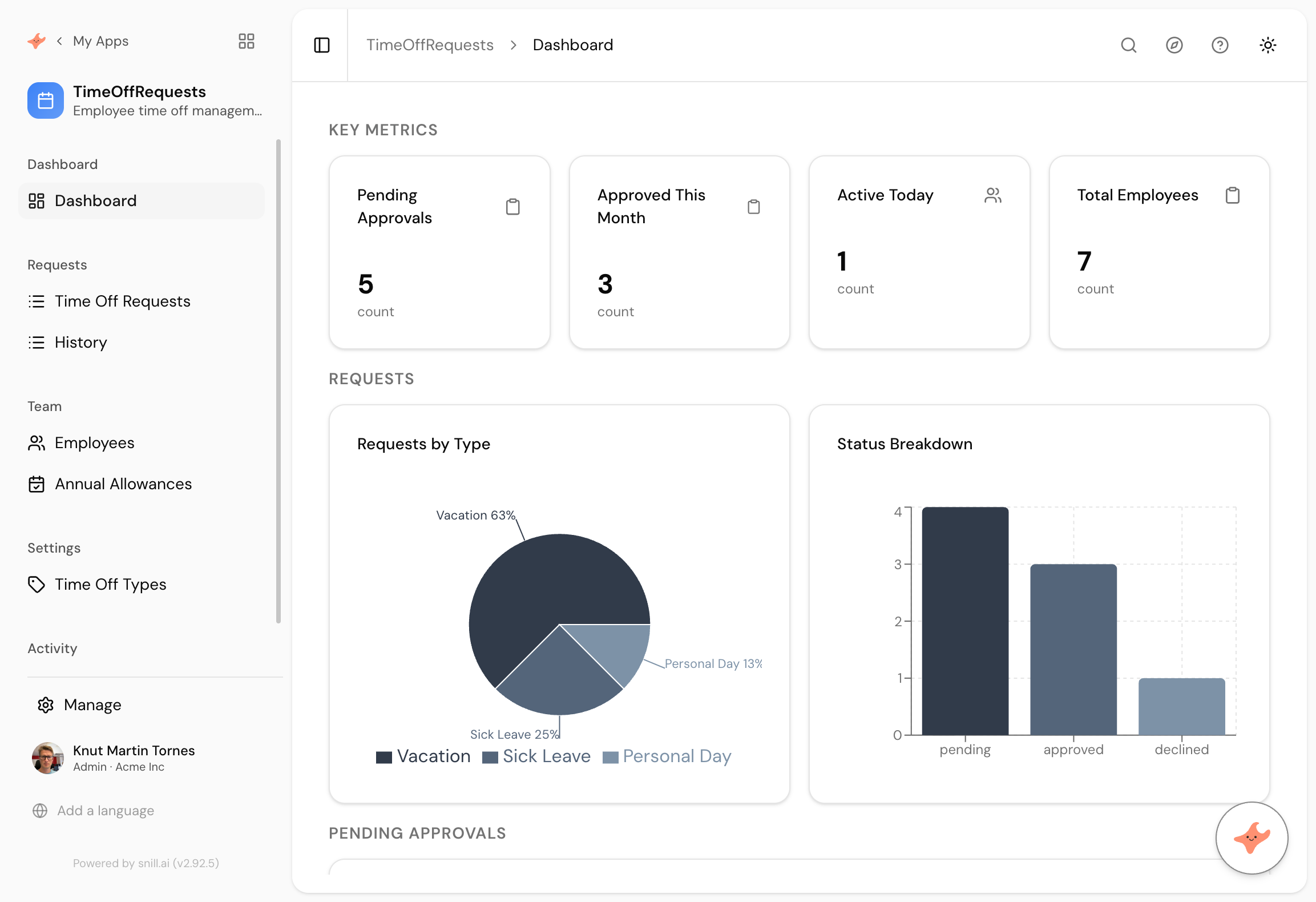
What came back
Allowances as their own records
Annual Allowances is a separate collection rather than a number stuck on the employee. That is what lets an allowance change per year without destroying last year's figure.
Leave types you control
Holiday, sick and unpaid came from the prompt, and they are records rather than hardcoded options, so adding parental leave or study leave later is data entry rather than a change request.
A queue and a calendar view
Requests waiting for approval, and who is off this month. Those are two different people's questions and both are on the front page.
Every company solves time off twice. First with email, then with a spreadsheet, and both fail in the same place: nobody can answer how many days somebody has left without opening two things and doing arithmetic.
The app is small. Requests, an approver, and a balance that maintains itself. The reason it is usually bought rather than built is the balance, and the reason it is usually bought badly is that it comes bundled with payroll you did not want.
Allowances kept separate
We wrote one clause about an annual allowance. It made Annual Allowances a collection rather than a number on the employee record, which is the decision that matters in January.
A number on the employee gets overwritten when the year rolls over and last year’s entitlement disappears. Allowances as records means you can raise somebody’s entitlement, keep the history, and still answer what they had in 2025 when they ask.
It also made leave types records rather than fixed options, so adding parental leave later is data entry.
Two questions, one screen
The prompt asked for requests waiting for approval and who is off this month. Those belong to different people. A manager wants the queue. Everyone else wants the calendar. Putting both on the front page is why nobody has to be told where to look.
Nothing needed correcting on this one. The dashboard counts and groups rather than comparing a stored date against today, which is the pattern that reliably comes out right first time.
Summary
A time off app is a queue, an approval and a balance, and the balance is the part that makes people build one. This took 96 seconds from a paragraph and kept allowances as records rather than a field, so the history survives a year end. If you want balance enforcement, per-person views or half days, those are the next three sentences.
Then change it by asking
The assistant stays with the app after it is built. It proposes each change and a person approves it, so nothing moves on its own.
- Stop people requesting more days than they have left.
- Show each employee only their own requests and their own balance.
- Add a half day option to requests.
- Give me leave taken by department for the year so far.
Frequently asked.
Does it stop someone booking more days than they have?
Not from this prompt, because we did not ask. It is the obvious next sentence and the platform supports validation rules, so a request that exceeds the remaining balance can be rejected at the data layer rather than caught by a human.
Can people see each other's leave?
By default anyone with access sees the register, which is usually what you want for a who-is-off view. Restricting people to their own requests while keeping a shared calendar is one sentence.
Is this a payroll system?
No. It records requests, approvals and balances. It does not calculate pay, accrue statutory entitlement or file anything. If you need those, keep your payroll system and use this for the part it does badly.
How does it handle public holidays?
It does not, out of the box. If your team spans countries with different holidays, that is worth asking for explicitly rather than assuming, because it changes how you count a leave request that spans a week.
What does it cost?
Snill is free to start for solo operators, with a Pro plan for teams. Your data and the app's full model are yours to export at any time, as CSV or JSON.
Describe it and see
Free to start. The app is generated in a minute or two, and you keep changing it in plain language.
Start free