Run your whole agency on one system — not six SaaS tools.
CRM, projects, time, expenses, invoicing, and profitability in one ready-made app — the stack agencies usually cobble together from half a dozen tools. Start it in one click, then shape it by chatting with Snill.
Free template · runs on your Snill account
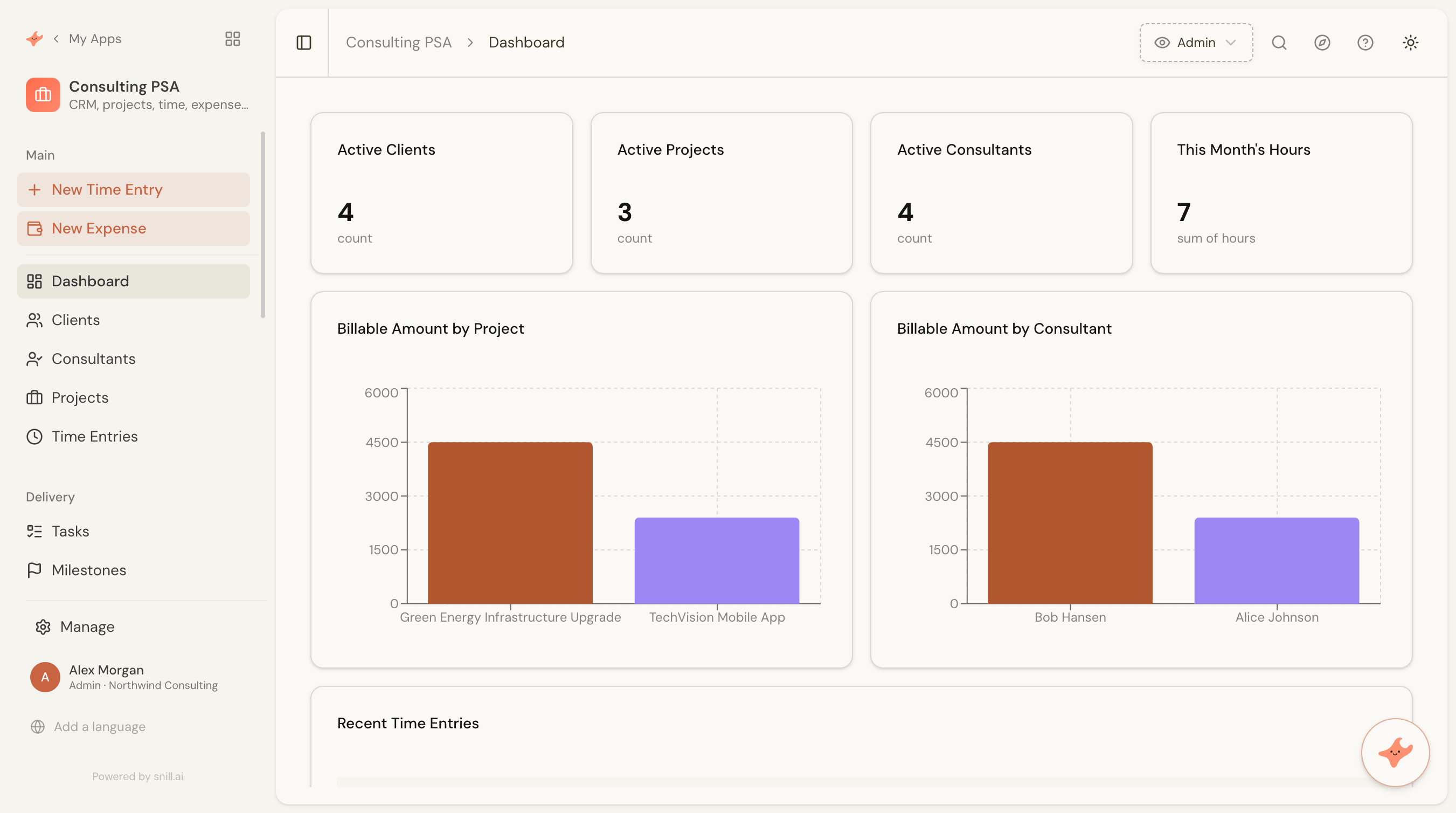
Most agencies run on a patchwork: a CRM for the pipeline, a spreadsheet for time, an expense app, a project board, and an invoicing tool that knows about none of the others. Data gets re-keyed between them, and nobody can answer the one question that matters — are we actually making money on this project? The Consulting PSA template gives you the whole services business on one connected system, on day one.
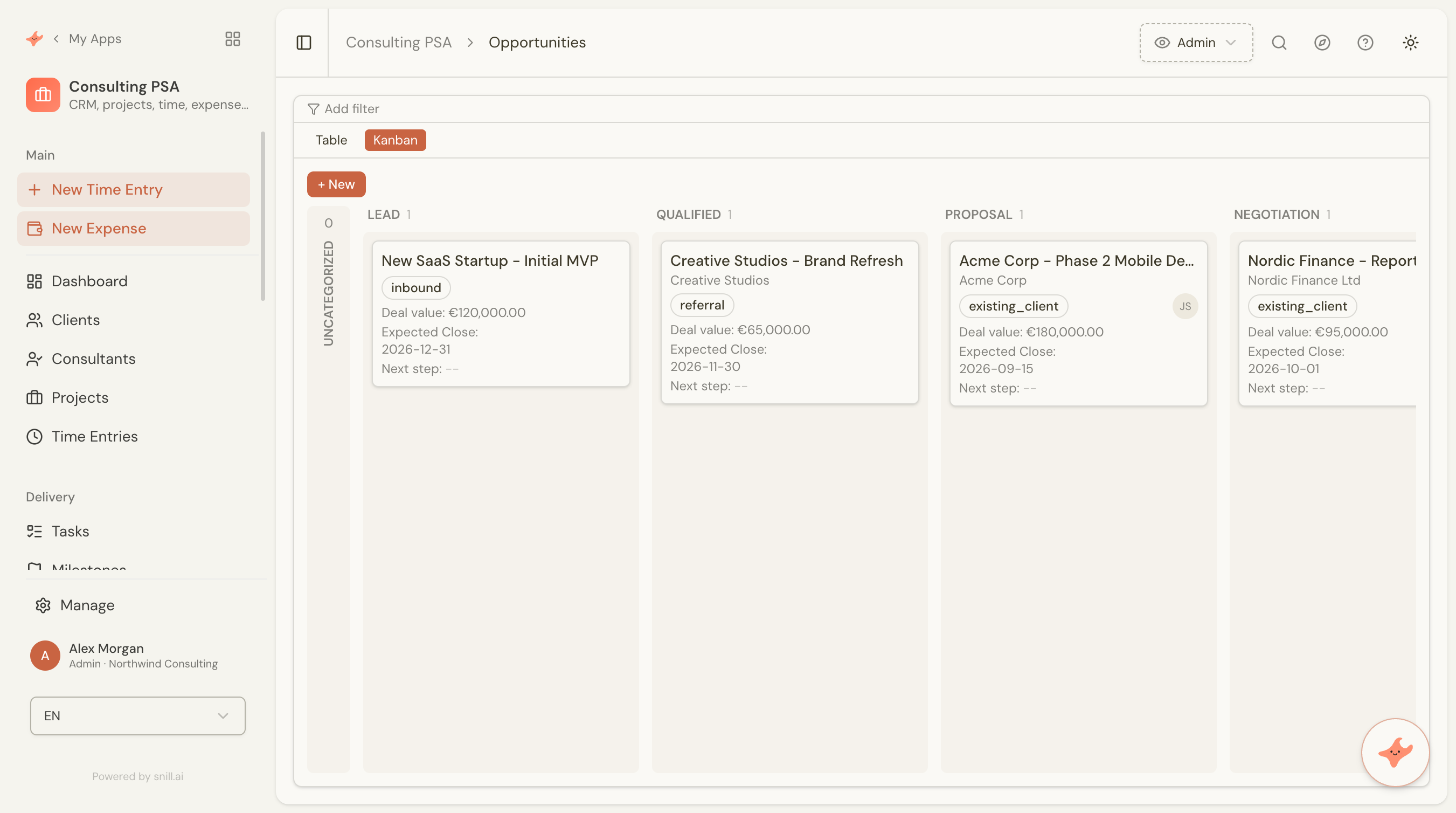
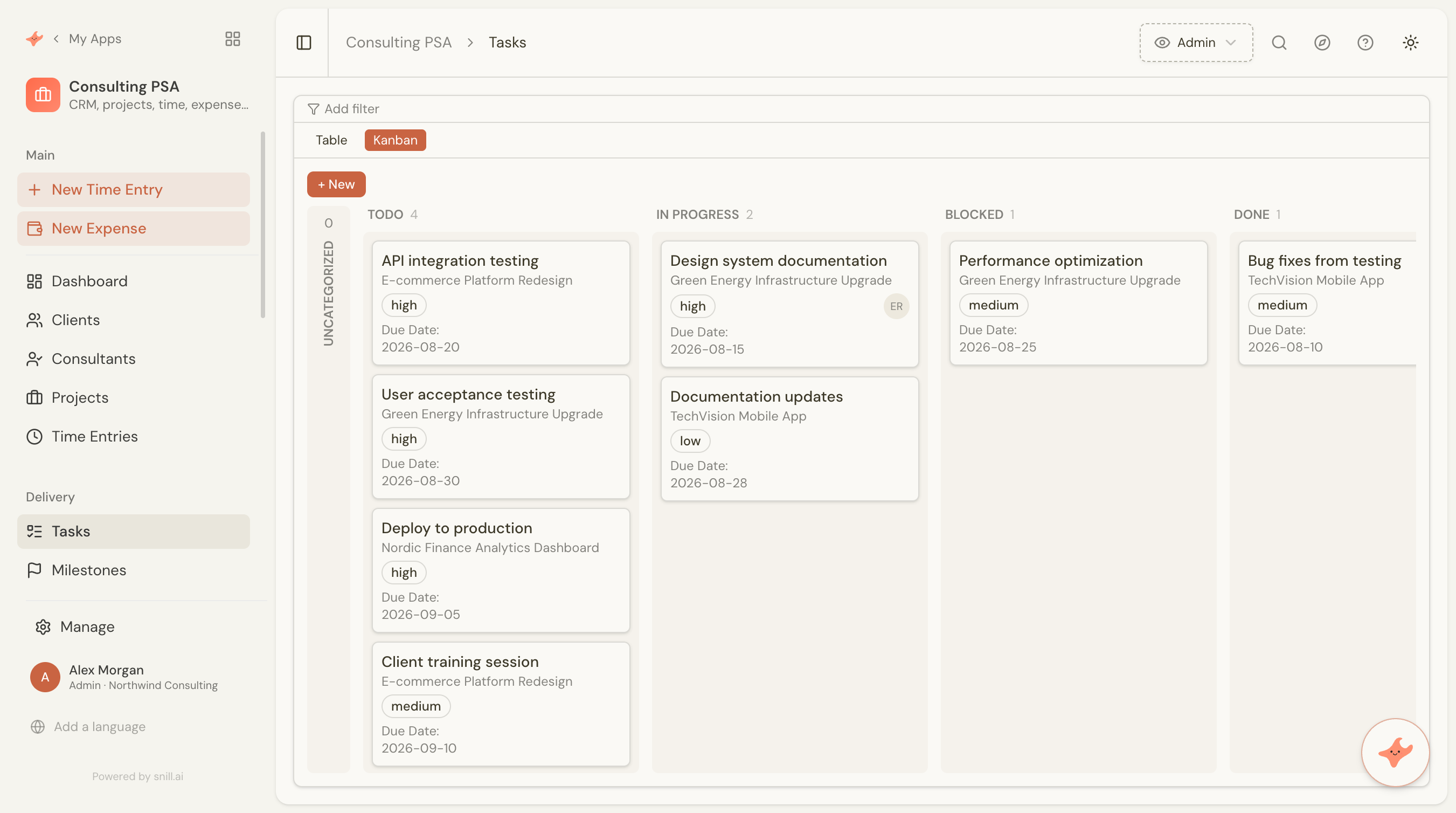
Start from the template and Snill generates a complete, relational app that runs the full loop: sell (contacts, a drag-and-drop Kanban pipeline of opportunities with next-step and stalled-deal reminders, logged activities) → deliver (a won opportunity links to its project, broken into milestones and a drag-and-drop Kanban of tasks) → track (billable time and receipt-scanned expenses) → bill (invoices with line items, VAT, and an accounts-receivable workflow) → measure (labour and expense cost, margin, and margin % rolled up on every project). It’s a real database-backed system with a REST API and access control — not half a dozen subscriptions taped together.
Because Snill built it, you can change it just by describing what you want — add a field, tweak the pipeline stages, restructure a dashboard — and the app keeps up. That’s also why it can serve you twice over: run your own firm on it, and spin up tailored apps for your clients. Consolidate your own stack, see your margins, and turn “we should build that” into a conversation.
Prefer a lighter start? The Consulting Management App template is the focused time-and-billing subset of this one.
From first lead to paid invoice — and the margin on every project.
Replace a stack of SaaS tools with one system
The CRM, the time tracker, the invoicing tool, the expense app, the project board — this template consolidates the lot into one connected model, so you stop paying for (and re-keying between) half a dozen subscriptions.
Work your pipeline like a dedicated CRM
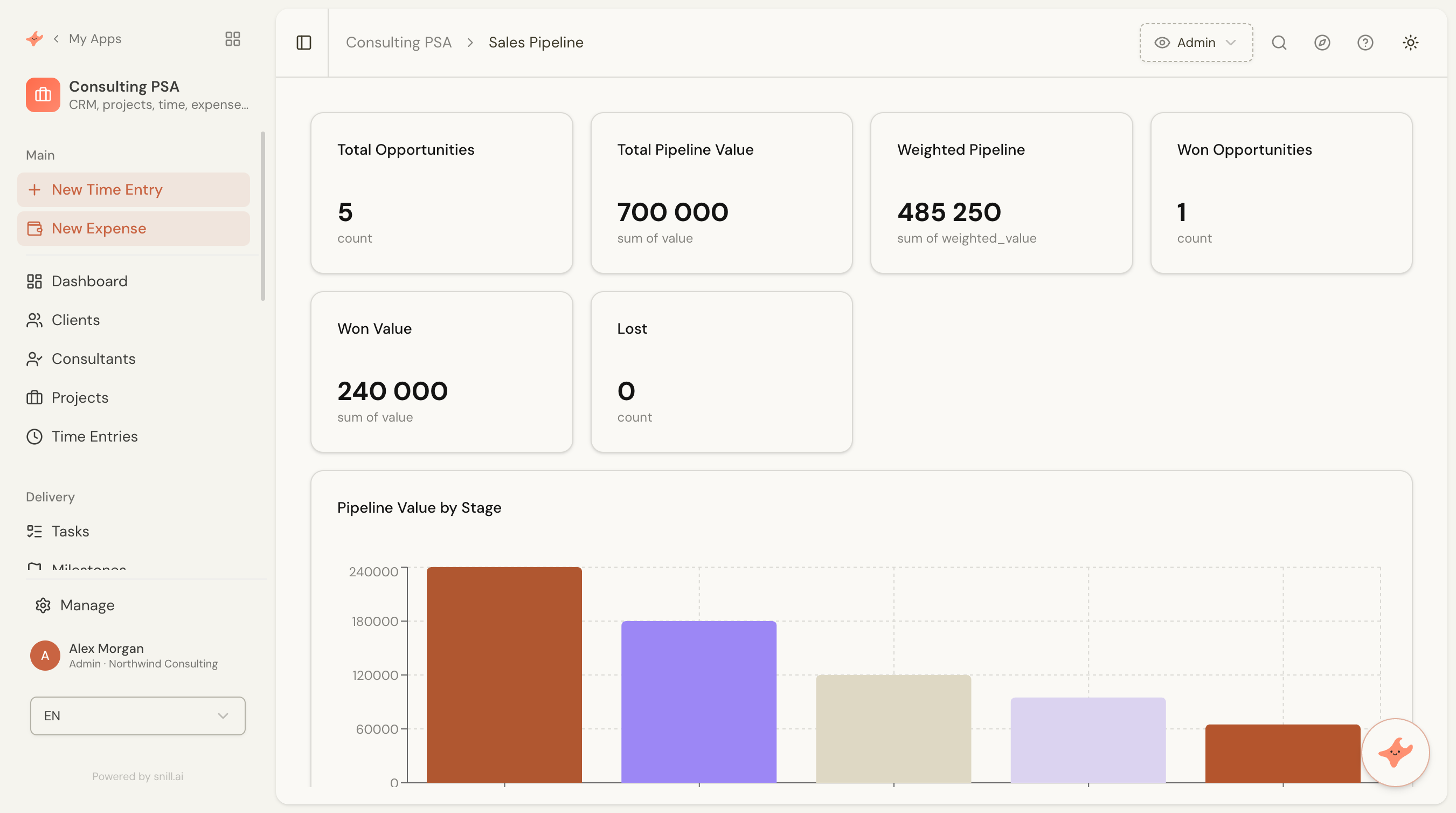
Opportunities live on a drag-and-drop Kanban board — move a deal across stages, set its next step and get reminded when it's due, and catch deals that have stalled. Win/loss and pipeline-value-by-source analytics show which channels actually pay off.
See the margin on every project
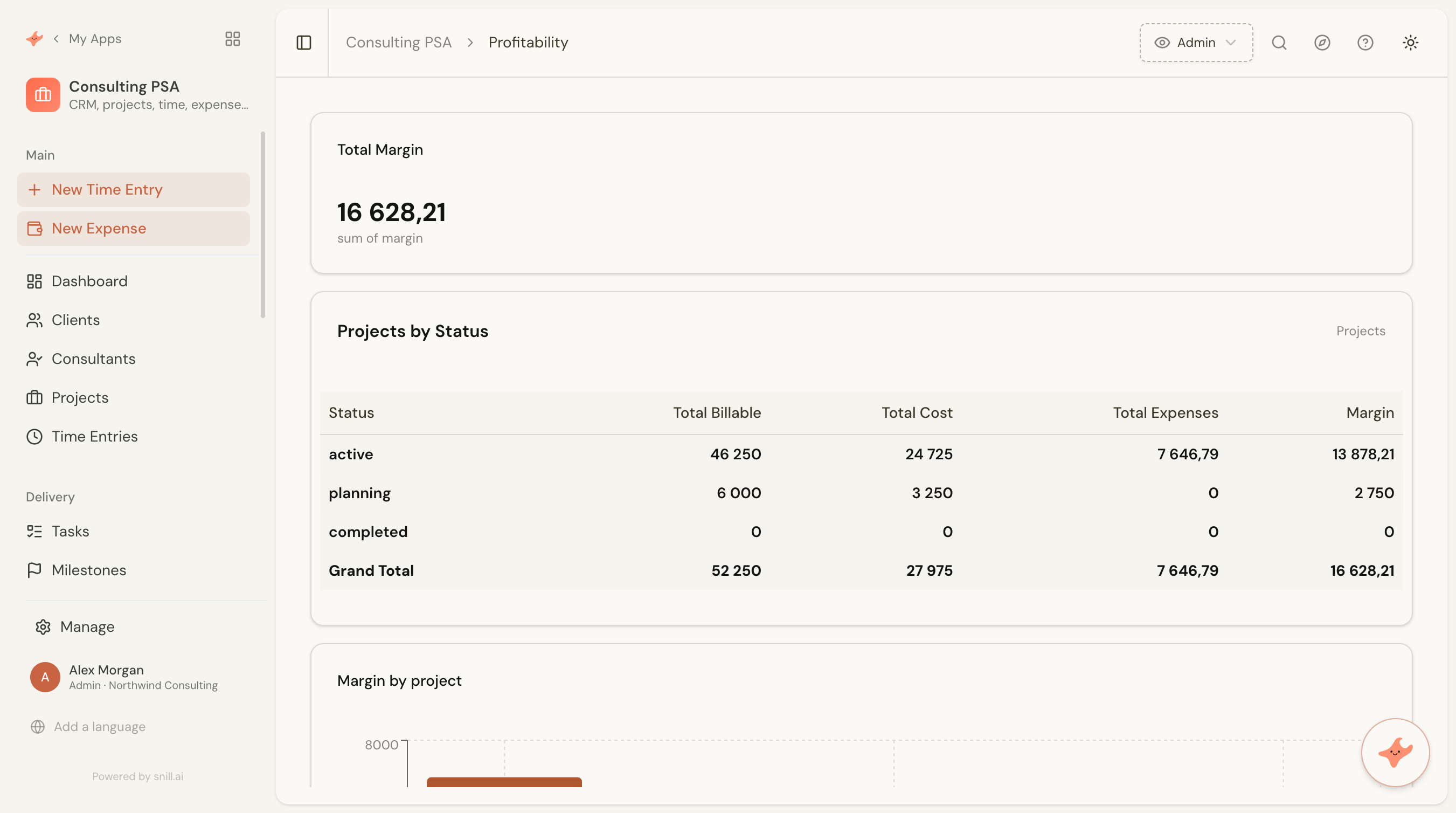
Time and expenses roll up into labour cost, billable amount, margin, and margin % per project — so profitability is a number you can see, not a spreadsheet you dread building at month-end.
Run the whole loop: sell → deliver → bill
A won opportunity links straight to its delivery project; the project breaks into milestones and a Kanban of tasks; logged time and billable expenses flow onto invoices. One thread from pipeline to paid.
Bill from what you actually logged
Invoices pull line items straight from logged time entries and billable expenses, add VAT, and move through a draft → sent → paid/overdue workflow with an AR dashboard.
Everything it handles.
- CRM: contacts, activities, and a drag-and-drop sales pipeline (Kanban) with weighted value, next-step tracking and stalled-deal reminders
- Won opportunity → project handoff, with milestones and tasks for delivery
- Billable time tracking with a draft → submitted → approved workflow
- Expense tracking with AI receipt scanning (drop a PDF or photo to auto-fill)
- Invoicing & accounts receivable: line items, VAT, and a draft → sent → paid/overdue workflow
- Project profitability: labour + expense cost, margin and margin %
- Dashboards for pipeline, accounts receivable, and profitability

Built on Snill.
Ask questions in plain language and get summaries, reports, and charts you can print or share.
Describe a change and Snill makes it — or edit fields, layouts, and dashboards in the visual UI.
Every app ships a REST API, webhooks, multi-user roles, and one-click version rollback.
Import and export CSV or JSON anytime, with daily backups you can restore in a click.
Frequently asked.
What is the Consulting PSA template?
It's a ready-made Snill app (a 'Snapp') that runs a professional-services firm end to end — Professional Services Automation, what's often sold as PSA software or agency management software. It sets up 13 connected collections: Clients, Contacts, Opportunities, Activities, Consultants, Projects, Project Team, Milestones, Tasks, Time Entries, Expenses, Invoices, and Invoice Lines — with a drag-and-drop Kanban sales pipeline (next-step and stalled-deal reminders, win/loss and source analytics), a delivery Kanban, invoicing with accounts receivable, and project profitability. Snill generates the whole system — database, dashboards, and a REST API — and you customize it in plain language.
How is this different from the Consulting Management App template?
This is the bigger sibling. The Consulting Management App is a focused time-tracking and billable-hours app. Consulting PSA keeps all of that and adds a CRM with a drag-and-drop Kanban sales pipeline (next-step and stalled-deal reminders, win/loss and source analytics), project delivery (milestones and a task Kanban), expense tracking with receipt scanning, invoicing and accounts receivable, and profitability rollups — the full services business loop. Start with Consulting if you just need time and billing; start with PSA if you want to run the whole firm on one system.
Which SaaS tools can it replace?
For many agencies, the combination of a light CRM, a time tracker, an expense tool, a project board, and an invoicing app. Because it's one connected model, data flows between those jobs instead of being copied between separate subscriptions — and you can shape it to your exact process rather than bending your process to half a dozen different tools.
Do I need to write code or design a database?
No. The template comes with a complete relational data model, calculated fields, workflows, and dashboards. You start from it and refine in plain language or the visual editor — Snill handles the database, API, and access control.
How does project profitability work?
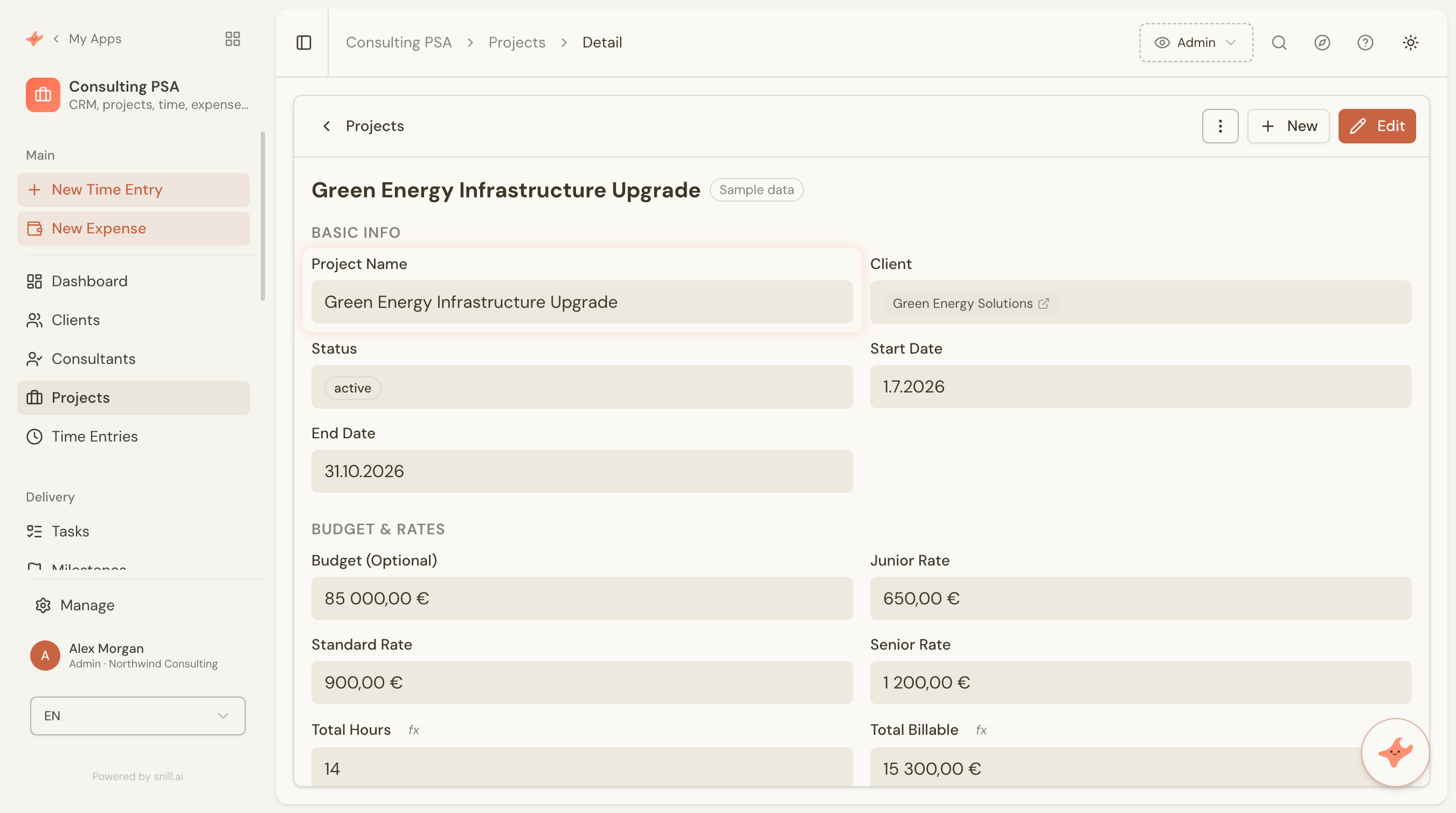
Time entries calculate a billable amount from the project's tier rates and the consultant's level, and a labour cost from the consultant's cost rate. Each project rolls up total hours, billable, cost, and expenses, then computes margin (billable − cost − expenses) and margin %. A profitability dashboard shows it across every project.
How does invoicing work?
Raise an invoice against a client and project, pull line items from logged time entries and billable expenses, add VAT, and track its status through a draft → sent → paid/overdue workflow. An accounts-receivable dashboard surfaces what's outstanding.
Can I use it to run my clients' businesses too?
Yes — that's a natural next step. Because every app is just a Snill app you describe and reshape in plain language, agencies can use this as a starting point not only for their own operations but to spin up tailored apps for client engagements. The template is your baseline; each variation is a conversation away.
Can my whole team use it?
Yes. Snill apps are multi-user with role-based access control at the collection and field level. The template ships a single consultant role — everyone sees the shared data but can only edit their own records — and you can add finance or manager roles as you grow.
Does it come with an API?
Yes — every Snill app gets a REST API with an OpenAPI spec, scoped API keys, and webhooks, so you can connect accounting, reporting, or client-facing tools without a developer.
Can I import my existing client, project, and invoice data?
Yes. Every collection supports CSV and JSON import with field mapping, so you can bring existing clients, contacts, projects, and historical time or invoices into the app.
What does it cost?
The template itself is free. It runs on your Snill account — free for solo operators (2 apps, 1,000 records, 20 AI requests/day), or Pro at $29 a month flat, which covers one Admin and five Members and raises the limits on apps, records and AI. You're paying for your Snill account, not the template.
Start from the Consulting PSA template.
It's free and runs on your Snill account. Create it in one click, then describe a change and watch it happen.