Build a site inspection app by describing it.
Inspections per site, checks that pass or fail, and every failure turned into a finding with a name and a deadline against it. Here's the prompt and the app it produced.
Ask for it in one go
This is the exact prompt we used. Copy it, change the words that don't match your business, and paste it in.
We do safety inspections on our sites. Each inspection records the site, the inspector, the date and a set of checks that each pass or fail. A failed check becomes a finding with an action owner and a deadline. An inspection goes from scheduled to in progress to signed off, and only a supervisor can sign one off. Show me open findings and inspections due this month.
Built in 74 seconds, from that prompt alone.
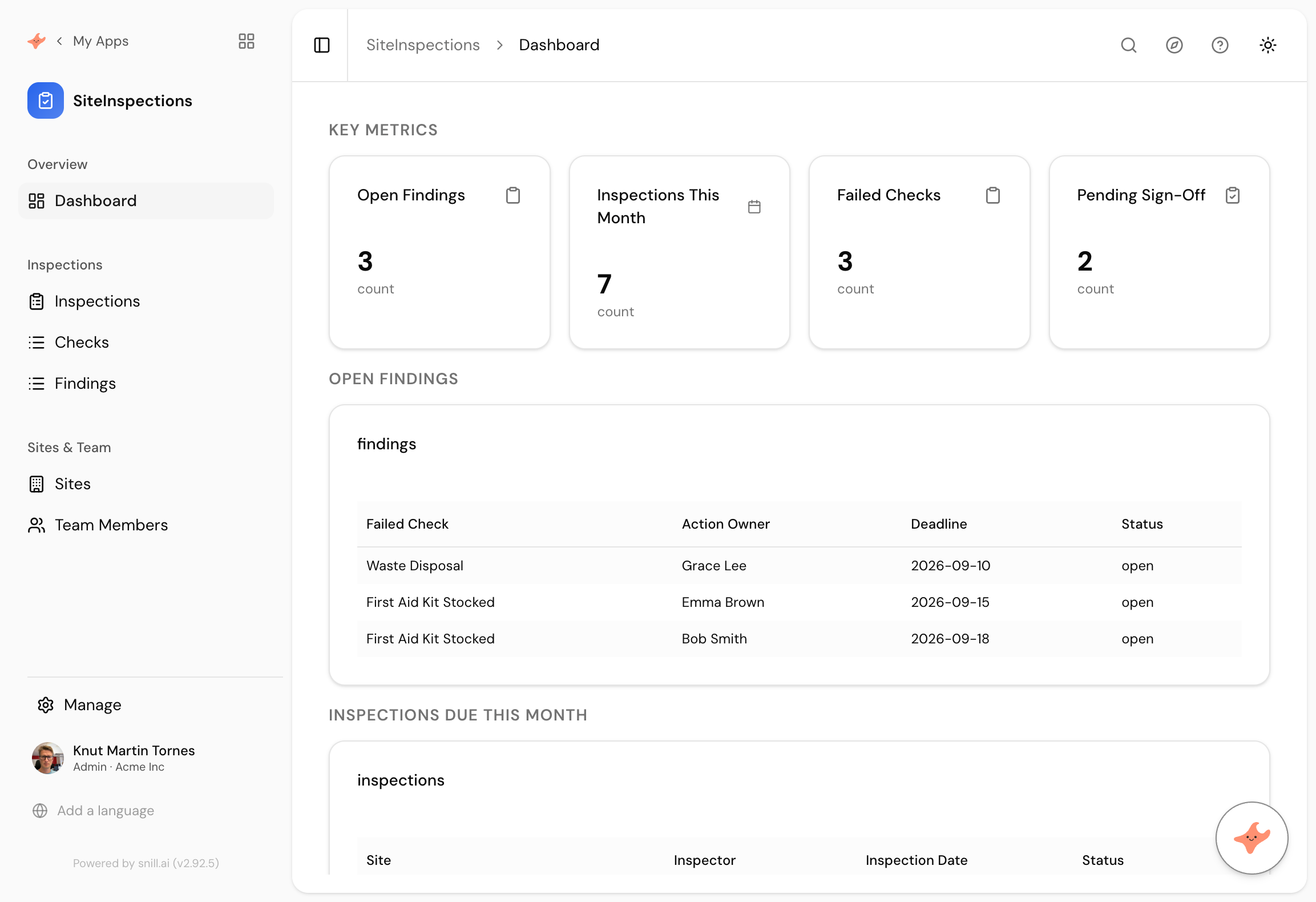
What came back
Three levels, correctly separated
Inspections, Checks and Findings are separate collections. An inspection has many checks, and a failed check becomes a finding. Flattening that into one table is how inspection records usually become useless.
A failure with a name on it
Every open finding carries an action owner and a deadline. An inspection that produces a list of problems and no owners is a document. This produces work.
Sign-off as a restricted step
Scheduled, in progress, signed off, with sign-off limited to a supervisor. That is the control an auditor looks for, and it is one clause in the prompt.
A safety inspection on paper produces a folder. Somebody walks the site, ticks boxes, notes three problems, and files it. The problems are real and the folder is where they go to be forgotten, until the same three turn up on the next inspection and somebody has to explain why.
The difference between an inspection that works and one that does not is whether a failed check turns into a piece of work with a name and a date on it. That is the whole app.
It kept three levels apart
We described inspections, checks within them, and findings from the failures. It built all three as separate collections rather than flattening them, which is the decision that makes the record usable later.
Checks stay attached to their inspection, so you can show the whole walk including everything that passed. Findings live on their own, so open work is a short list rather than something you have to filter out of hundreds of rows. Ask what is outstanding across every site this quarter and you get an answer instead of a spreadsheet export.
Sign-off is the audit trail
Only a supervisor can sign off, and that clause does more work than it looks like. The rule sits on the data rather than in the interface, and every change lands in the activity log with a name against it. So the record shows both that the control existed and that it was followed, which is what somebody assessing your process actually wants to see.
Summary
A site inspection app is three related lists and one restricted step, and it is the findings with owners that separate it from a filing cabinet. This one took 74 seconds from a paragraph and kept inspections, checks and findings properly apart. Nothing needed correcting. If you want photos on failed checks, standard checklists per site type, or owners seeing only their own findings, those are the next three sentences.
Then change it by asking
The assistant stays with the app after it is built. It proposes each change and a person approves it, so nothing moves on its own.
- Let inspectors attach a photo to each failed check.
- Add a standard checklist per site type so inspections start pre-filled.
- Show each action owner only their own open findings.
- Give me findings by site for the last six months.
Frequently asked.
Can inspectors use this on a phone?
Yes. Apps render on mobile, and you can set a different start page for phones, which is worth doing here because the person on site wants the inspection form and not the dashboard.
How is this different from incident reporting?
An inspection is planned and produces findings. An incident is unplanned and produces corrective actions. The shapes are close, and there's a ready-made incident reporting template if unplanned events are what you actually need to track.
Why keep checks separate from findings?
Because most checks pass, and you want the passes on the record too. Keeping findings separate means the open work is a short list rather than something you filter out of a long one, which matters when somebody asks what is still outstanding.
Can we prove an inspection was signed off by the right person?
Yes. The rule restricting sign-off is enforced at the data layer, and every change is written to the activity log with who made it, so the record shows both the rule and the fact.
What does it cost?
Snill is free to start for solo operators, with a Pro plan for teams. Your data and the app's full model are yours to export at any time, as CSV or JSON.
Describe it and see
Free to start. The app is generated in a minute or two, and you keep changing it in plain language.
Start free