Build a leaver offboarding tracker by describing it.
Who leaves in the next fortnight, and whose laptop, pass and accounts are still outstanding. Here's the prompt and the app it produced.
Ask for it in one go
This is the exact prompt we used. Copy it, change the words that don't match your business, and paste it in.
Track people leaving the company. Each leaver has a last working day, a manager and a reason for leaving, and a checklist of things to reclaim or shut down like laptop, building pass, email account, system access and company card. Each item has an owner and is either done or not. Show me who leaves in the next two weeks and anything not returned after someone has already left.
Built in 62 seconds, from that prompt alone.
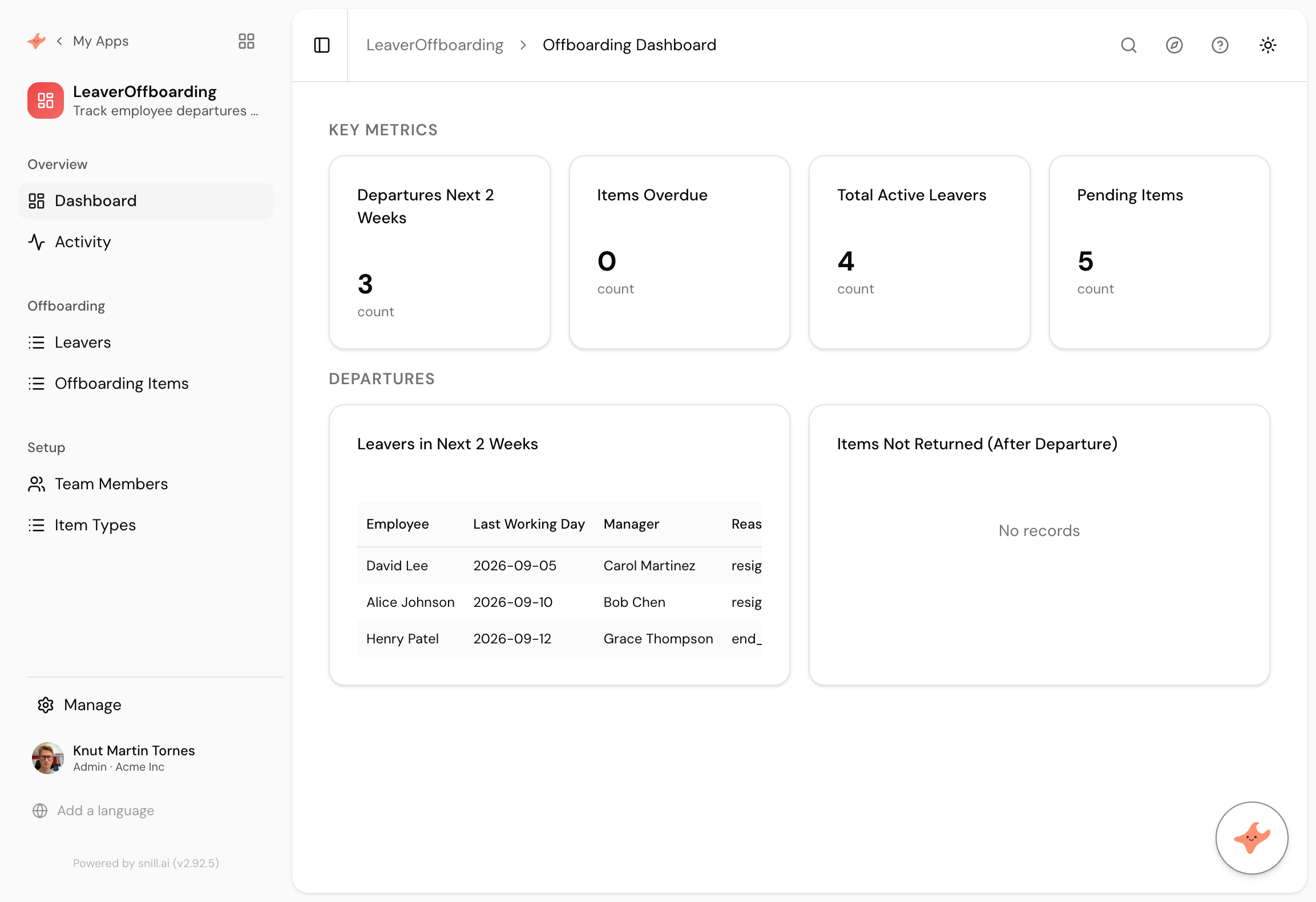
What came back
Leavers and items separated
Offboarding Items is its own collection, so each thing to reclaim has an owner and a state. IT owns the laptop, facilities owns the pass, and neither has to read a document to find out.
Item types as records
Laptop, pass, email, system access and card became a Item Types collection rather than fixed options, so the standard list is something HR maintains rather than something that needs a change.
The question that matters after the fact
Not what is outstanding, but what is outstanding for people who have already gone. That distinction is the entire reason offboarding registers exist.
Onboarding gets the attention and offboarding carries the risk. When a new starter has no laptop they tell you within an hour. When a leaver keeps their email and VPN access for four months, nobody tells you at all, and you find out during a security review or something worse.
The register is nearly identical to the onboarding one, and the important screen is different. It is not what is outstanding, it is what is outstanding for people who have already gone.
Same shape, different question
We built a new starter tracker with almost this prompt, and the model came out the same way: people in one collection, the things attached to them in another, each with an owner.
The difference is the panel. Onboarding asks who arrives soon so you can get ahead of it. Offboarding asks what is still open behind you, which is a question about exposure rather than preparation. We wrote that clause deliberately and it built exactly that.
The counter that should stay at zero
Items overdue reads zero on the sample data, because none of the generated leavers had passed their last day with items outstanding. In real use it will not stay there, and that is the point.
Everything else on this dashboard describes a process working. That one number describes somebody who left in July still holding a building pass, and it is the reason to have the app rather than a document.
Summary
An offboarding tracker is the onboarding one turned around, and the reversal is what makes it a control rather than a courtesy. This took 62 seconds from a paragraph, with reclaim items owned individually and item types kept as editable records. If you want the checklist created automatically, per-owner views, or an escalation thirty days past a leaving date, those are the next three sentences.
Then change it by asking
The assistant stays with the app after it is built. It proposes each change and a person approves it, so nothing moves on its own.
- Create the standard reclaim list automatically when a leaver is added.
- Show each item owner only the items assigned to them.
- Add a date each item was actually returned.
- Give me items still outstanding thirty days after a leaving date.
Frequently asked.
Why is offboarding riskier than onboarding?
Because onboarding fails visibly and offboarding fails silently. A new starter without a laptop complains on day one. A leaver with active system access three months later does not, and that is the one that turns up in a security review.
Does it link to the IT asset register?
Not out of the box, and connecting them is the obvious move if you have both. The reclaim item for a laptop should point at the actual asset record, so returning it updates the register rather than being noted twice.
Can it create the checklist automatically?
Not from this prompt, because we did not ask. It is the next sentence, and worth having, since the value of a standard list disappears the moment someone builds it by hand and forgets a row.
Is the overdue counter really useful?
It is the only number on the page that should ever alarm anyone. Everything else describes a process running normally. That one describes access somebody still has and should not.
What does it cost?
Snill is free to start for solo operators, with a Pro plan for teams. Your data and the app's full model are yours to export at any time, as CSV or JSON.
Describe it and see
Free to start. The app is generated in a minute or two, and you keep changing it in plain language.
Start free