Every automation needs a place to work
Give your n8n, Make and Zapier automations and your AI agents a real business app, with structured data, an API, dashboards and screens for your team. Describe what you need, and Snill builds it in minutes.
Describe the app your n8n flow writes into
This is the exact prompt we used for the app on this page. Snill built the leads, the team, the screens and two custom events from it.
Our n8n flow collects leads from the website form and our inbox, and an AI agent researches each company. We need one place where the sales team qualifies them: assign an owner, move each lead through new, contacted, qualified and lost, and comment on it. The flow and the agent write the leads, the team does the rest.
Write records from n8n, Make, Zapier or an AI agent
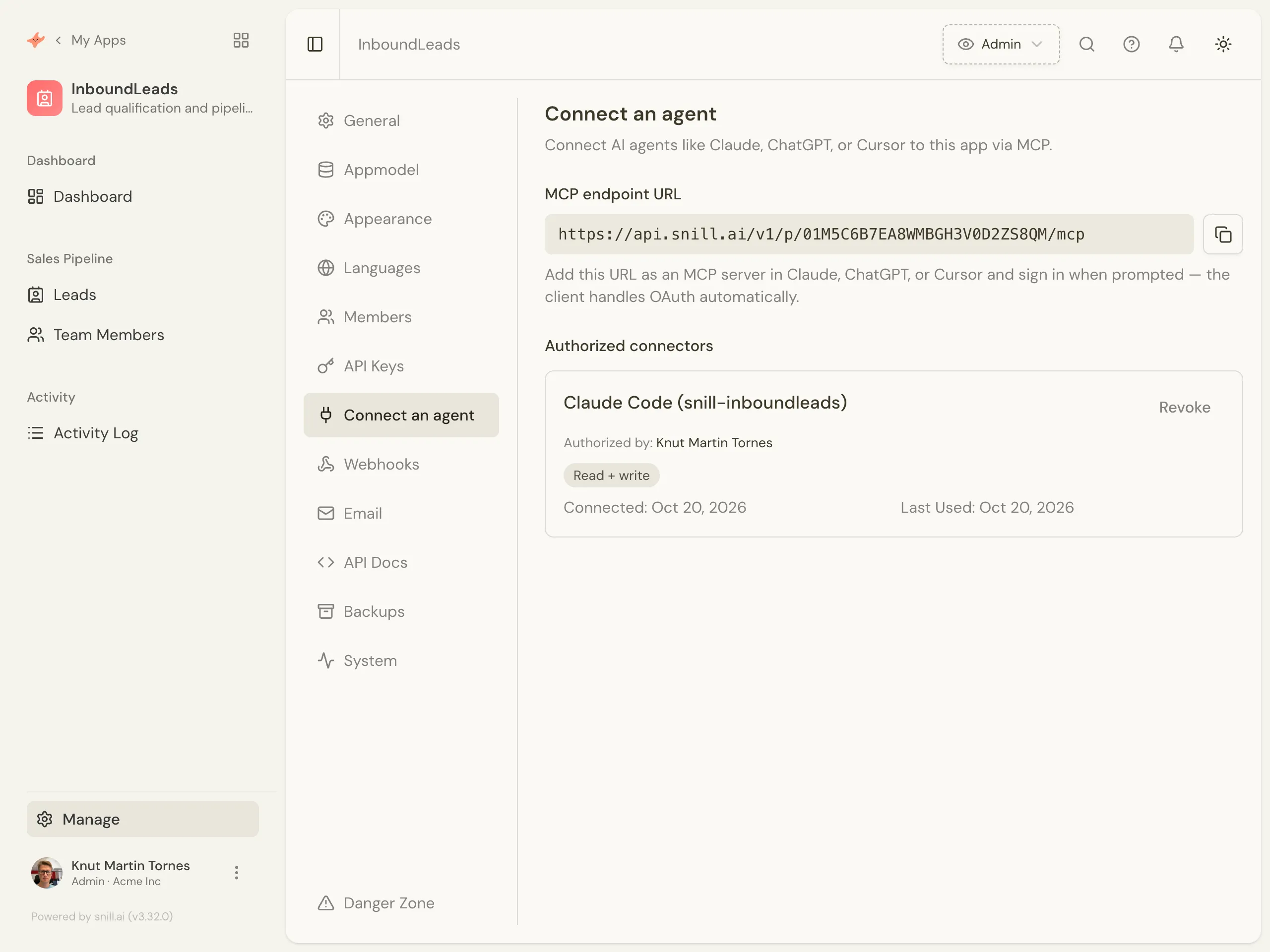
Each app has its own MCP address. Paste it into Claude, ChatGPT or Cursor, sign in, and choose whether the agent may create, update or delete. The agent acts as the person who connected it, with the same roles and field-level access, and an admin can revoke it with one click. n8n, Make, Zapier and your own code use the REST API with a scoped API key.
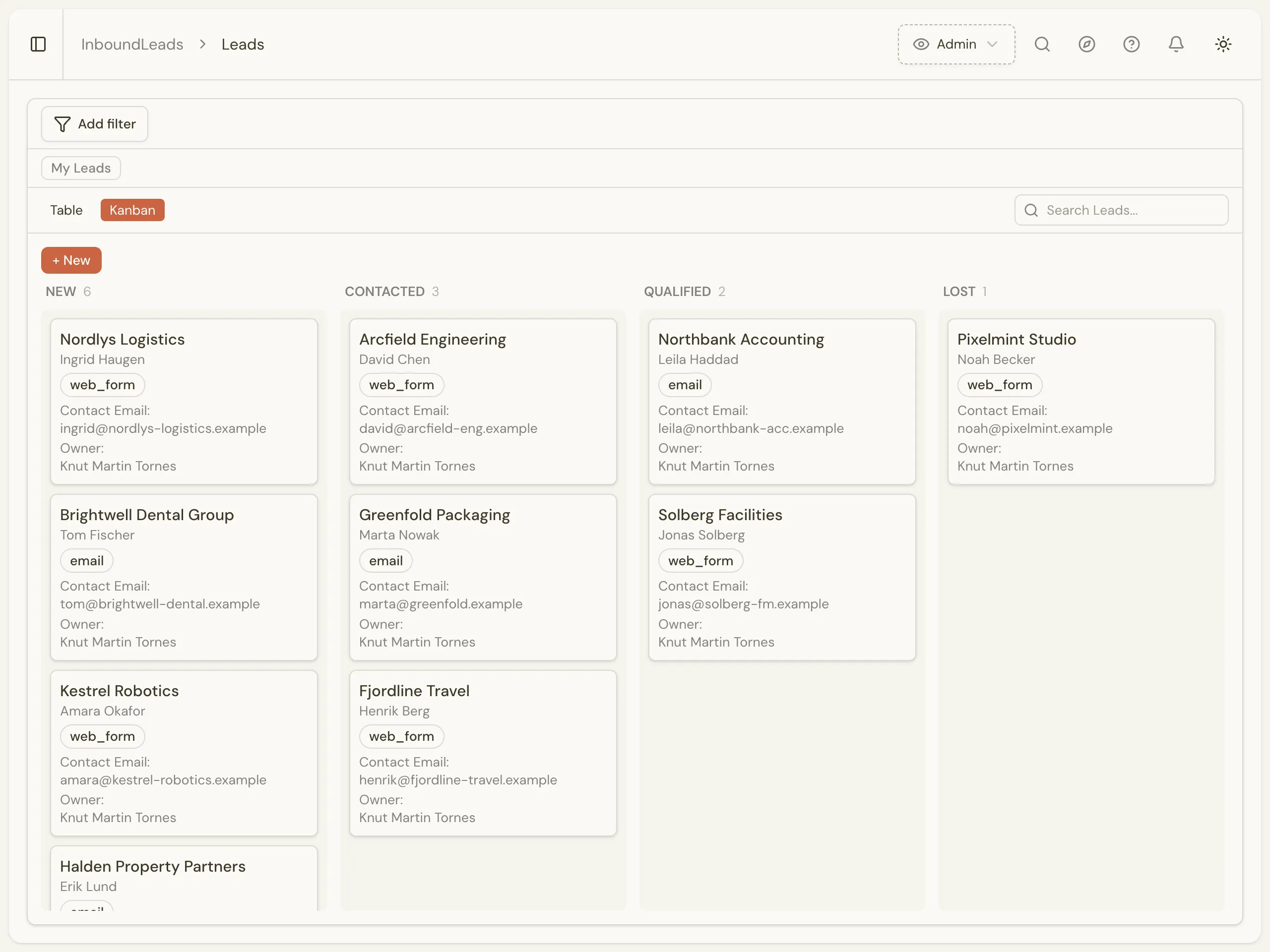
Your team works in real screens
The people who qualify the leads get a list, a board, a form for each lead, an owner and comments. They see what the flow and the agent wrote, and move it on from there. Nobody has to open a spreadsheet or a workflow editor.
Webhooks that start your n8n, Make and Zapier flows
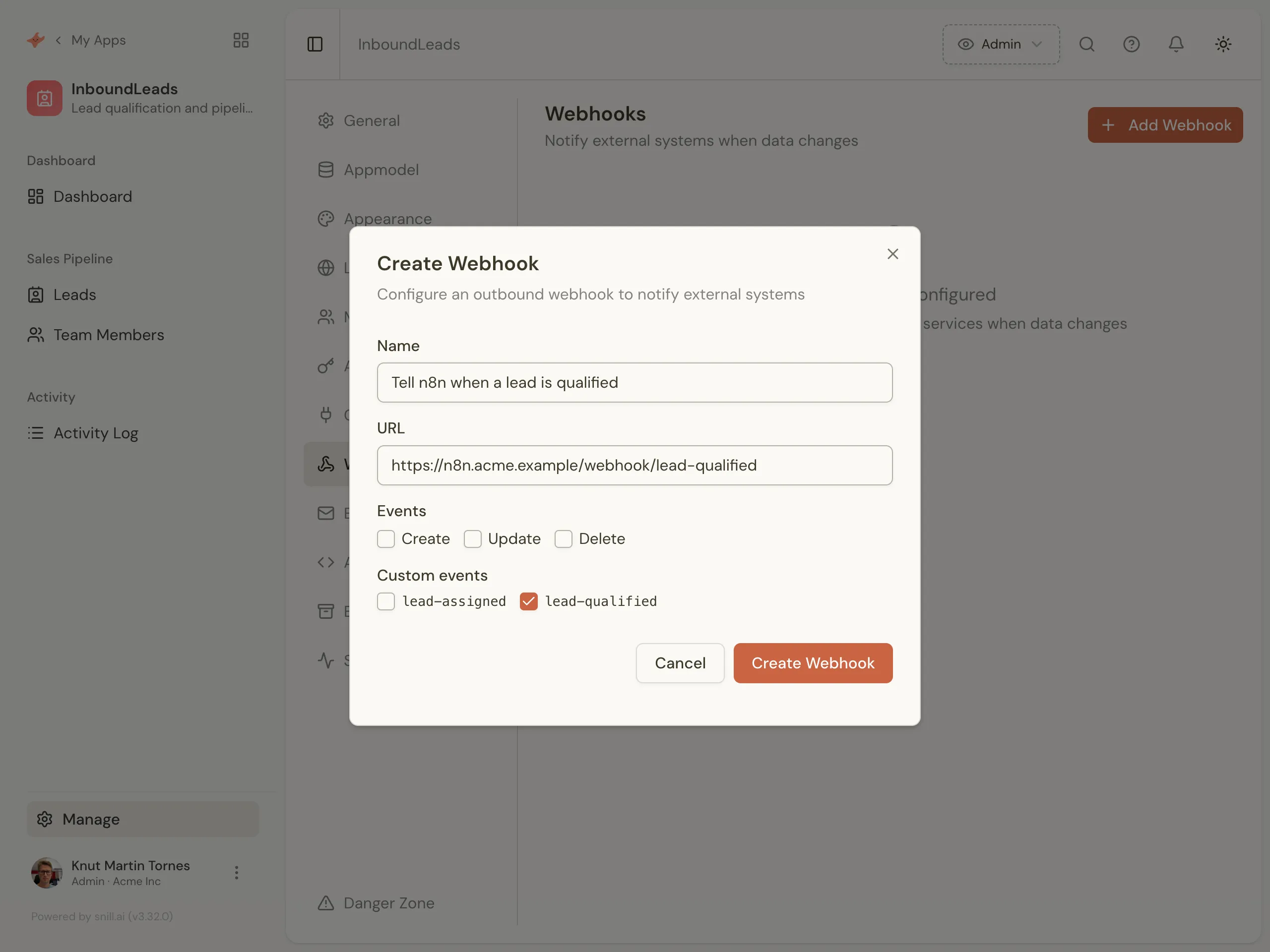
Webhooks fire when a record is created, updated or deleted, and on custom events. Snill set up lead-qualified and lead-assigned from the prompt alone, so n8n hears about a qualified lead the moment someone moves it. Each delivery is signed with HMAC-SHA256 and retried on failure.
A REST API for every app, with OpenAPI docs
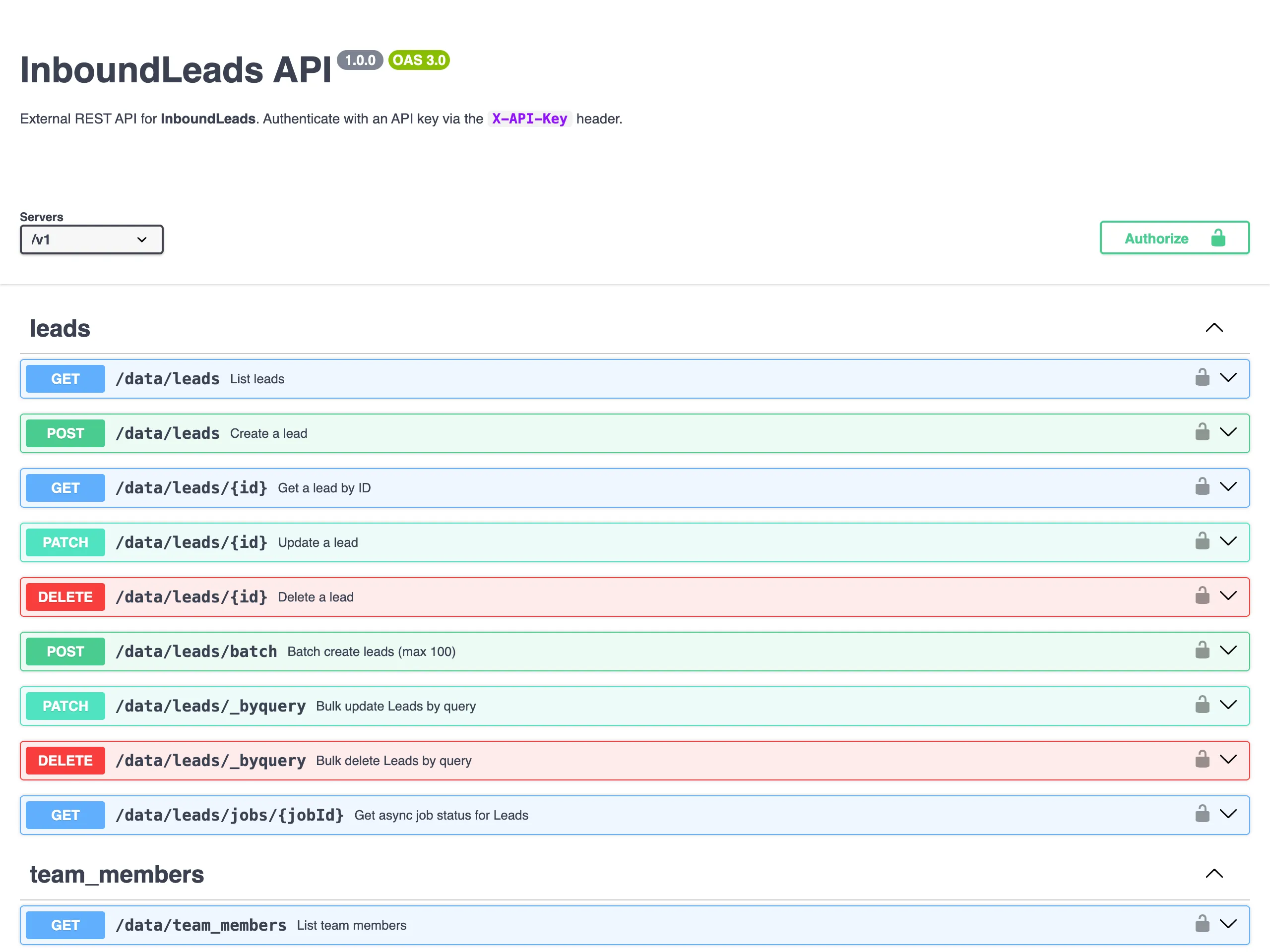
The API is generated from your data model, with an OpenAPI spec and Swagger UI to try it in. Point an HTTP node at it, or hand the spec to a coding assistant and let it write the integration. When you change the app, the API changes with it.
Connect n8n, Make and Zapier
No plugin to install. Your flows write with an HTTP step and listen with a webhook trigger, using the steps they already have.
n8n
Write: An HTTP Request node posts JSON to the collection’s endpoint with your API key in the X-API-Key header.
Listen: A Webhook trigger node receives Snill’s webhook and starts the workflow.
Make
Write: The HTTP “Make a request” module posts to the same endpoint, with the API key as a header.
Listen: A Webhooks “Custom webhook” trigger receives Snill’s events and starts the scenario.
Zapier
Write: A Webhooks by Zapier POST or Custom Request action writes the record.
Listen: A Webhooks by Zapier “Catch Hook” trigger starts the Zap when Snill sends an event.
POST https://api.snill.ai/v1/data/{collection}
What you don’t have to build
The parts around the data that usually take longest come with every app.
Sign-in and roles
Your team signs in, and roles and field-level access decide who sees and changes what. Agents and API keys get the same limits as the people behind them.
Rules that run by themselves
Triggers fire on changes or on a schedule, email the owner of a record, and feed your webhooks. You set them up by asking the assistant.
Changes by asking
Ask for a new field, a board or a dashboard. The assistant proposes the change, and nothing is applied until a person approves it.
Your data and the AI that builds your app stay in the EU.
Frequently asked
Is Snill a database for my automations?
It’s a business app with a database inside. Your flows and agents write to it through the REST API or MCP, and your team works in screens Snill builds from the same data model. If only a script will ever read the data, a plain database is simpler. Snill is for when people need to see and act on what your automations collect.
Does an agent connected over MCP get more access than I have?
No. It acts as the person who connected it, with the same roles, field-level access and owner-only rules on every call. You choose when you connect whether it may write and delete, it can never change the data model, and an admin can revoke it at any time.
Does agent traffic use our AI allowance?
No. An MCP agent runs on your own AI subscription, so its calls don’t count against Snill’s daily AI allowance. Your plan’s record limit still applies. Agent access is available on every plan, including Free.
How do I send data from n8n to Snill?
Create an API key under Manage, then add an HTTP Request node that posts JSON to https://api.snill.ai/v1/data/{collection} with the key in the X-API-Key header. Each collection in your app has its own endpoint, and the OpenAPI spec lists the fields it expects.
Can Snill start a Zapier Zap or a Make scenario?
Yes. Add a webhook under Manage, Webhooks, and paste in the URL from a Webhooks by Zapier Catch Hook or a Make custom webhook. Snill posts JSON to it when a record is created, updated or deleted, or when a custom event such as lead-qualified fires.
Are the webhooks signed?
Yes. Each delivery has an X-Snill-Signature header with an HMAC-SHA256 of the raw body, made with the webhook’s secret. Deliveries are queued, retried on failure, and listed with status and response code in the Webhooks tab.
Why not keep the data in a Google Sheet?
A sheet works until people start working in it. In Snill each field has a type, roles and field-level access decide who can see and change what, status changes can follow workflow rules, and your team gets forms, a board and dashboards instead of a grid. Your flows still read and write it over an API.
Can I build a public app or an agent platform with Snill?
No. Snill builds the internal system your team works in. Your automations and agents feed it and react to it, and the people using the screens are your team.
Describe the app your automation needs
Free to start, MCP and the REST API included on every plan. Paste in a prompt like the one above and change it from there by asking.
Start free