Track expenses in a real system — not a pile of receipts.
Employee expenses, receipts, and approvals in one ready-made app. Start it in one click, then shape it by chatting with Snill.
Free template · runs on your Snill account
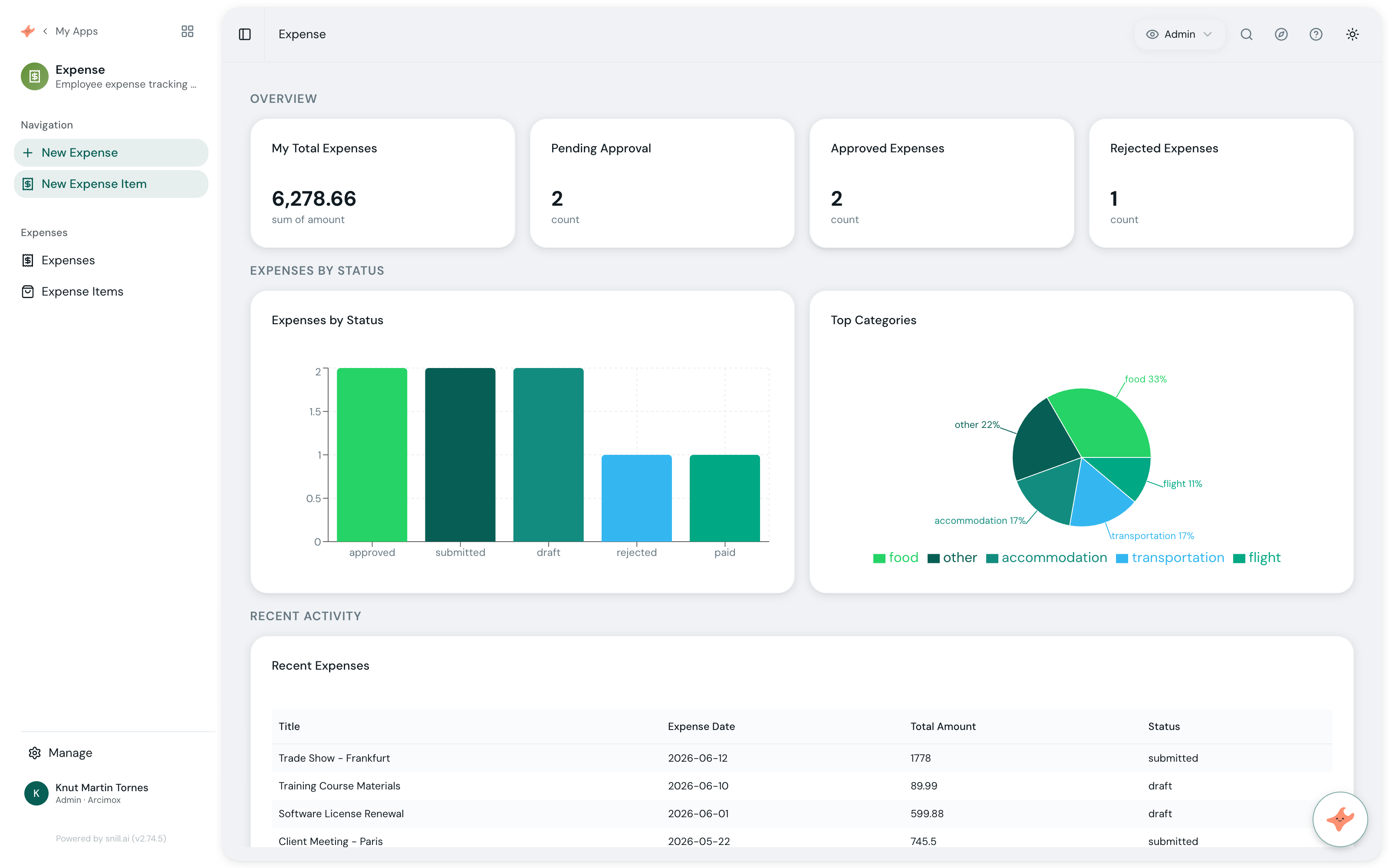
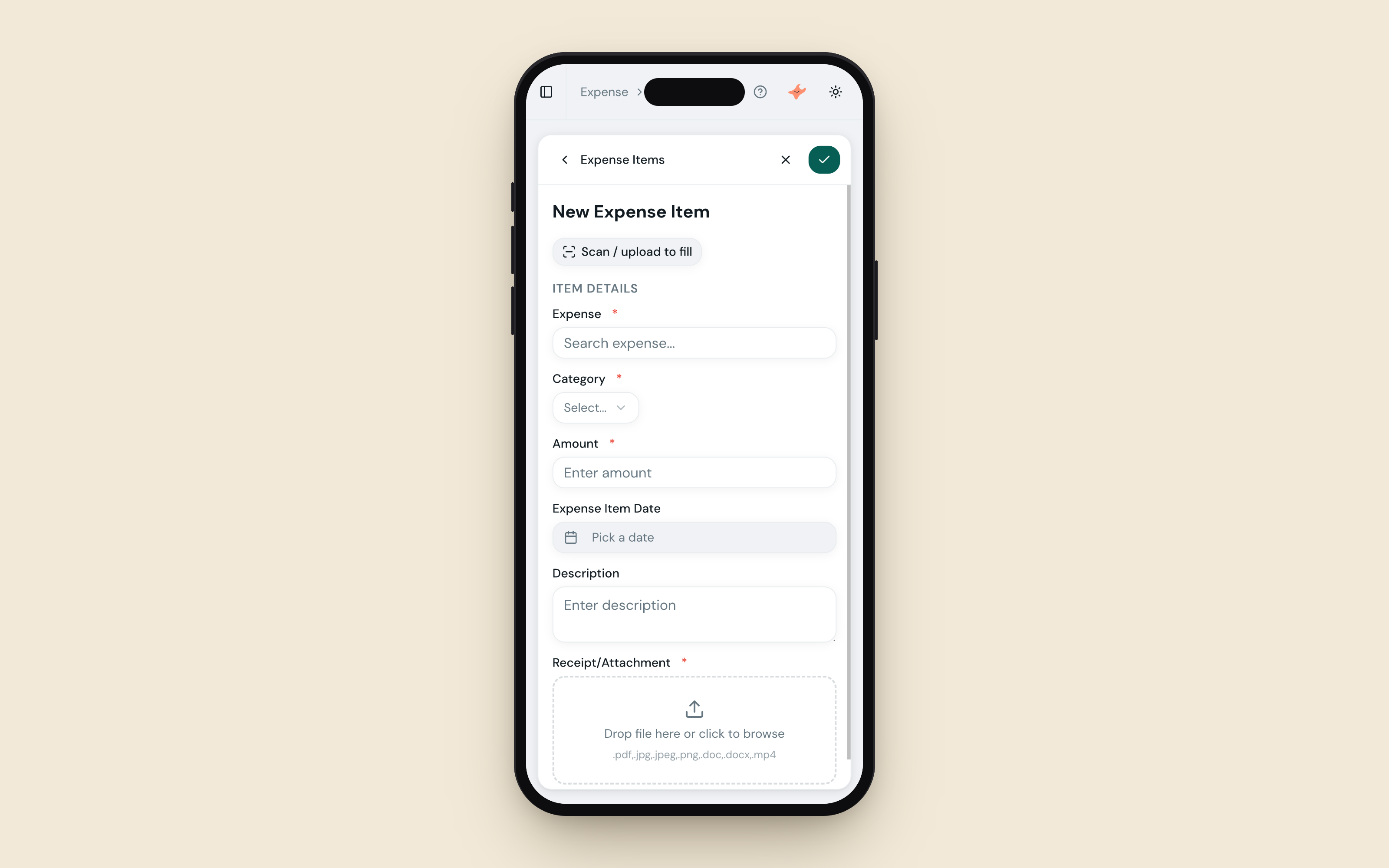
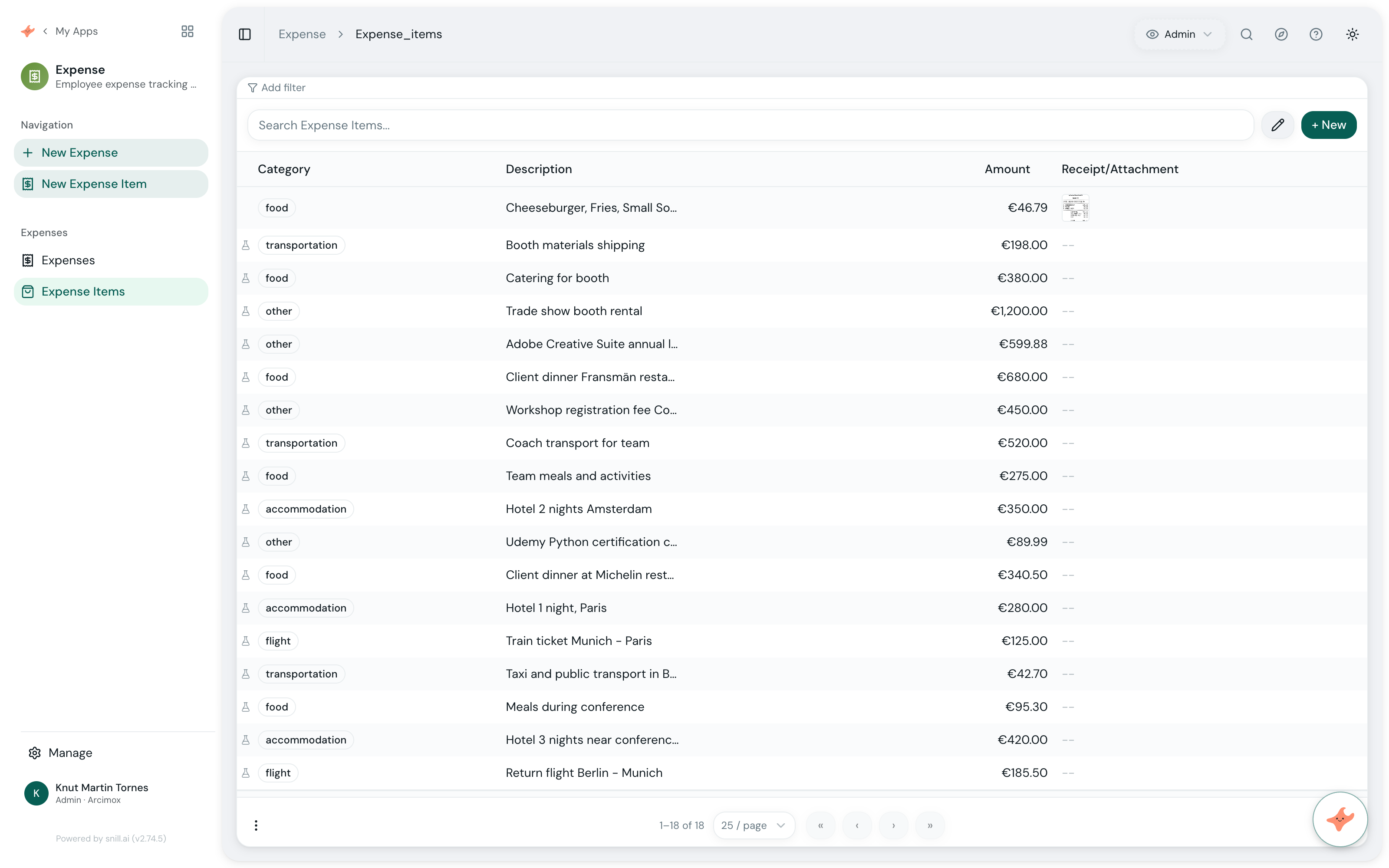
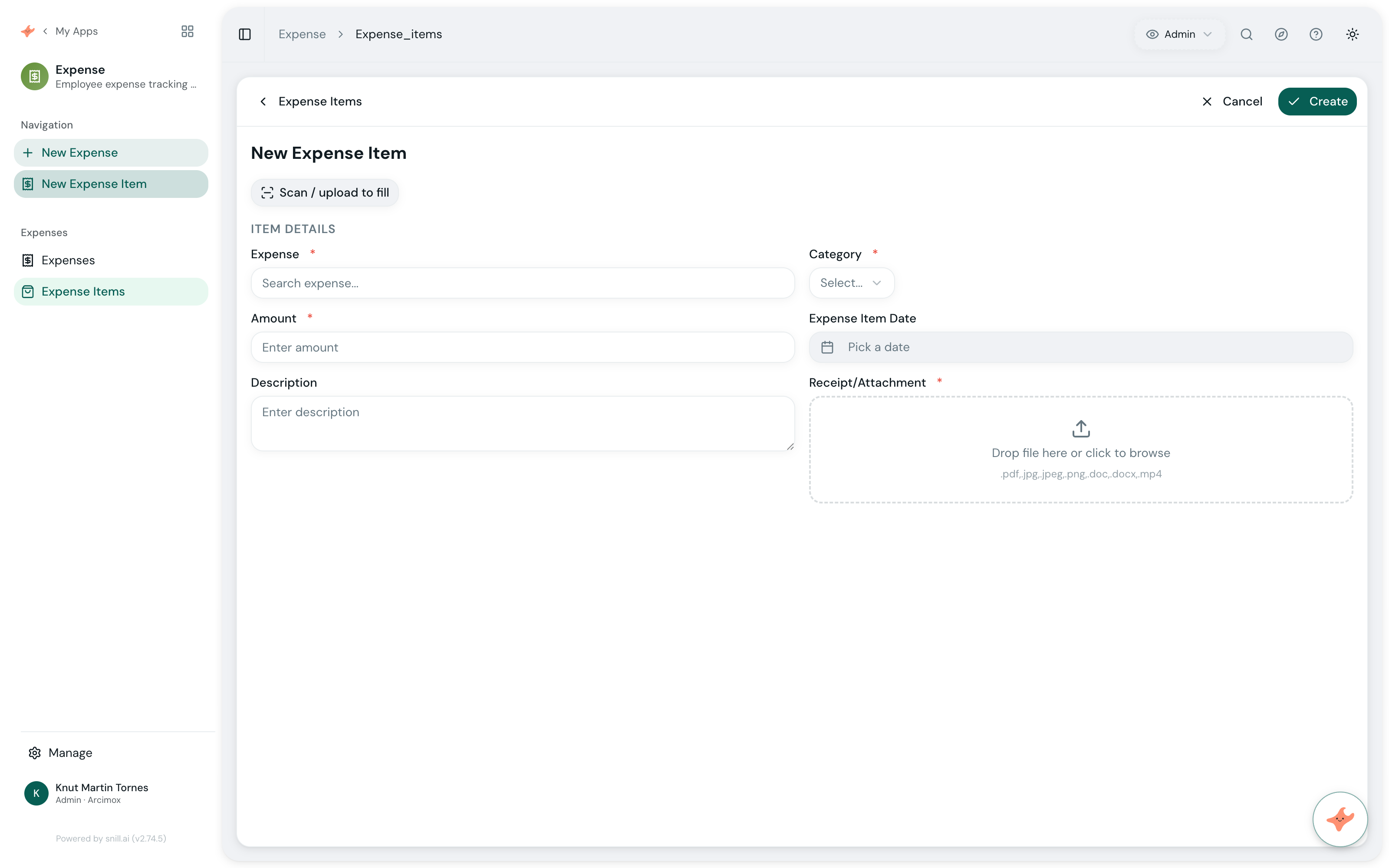
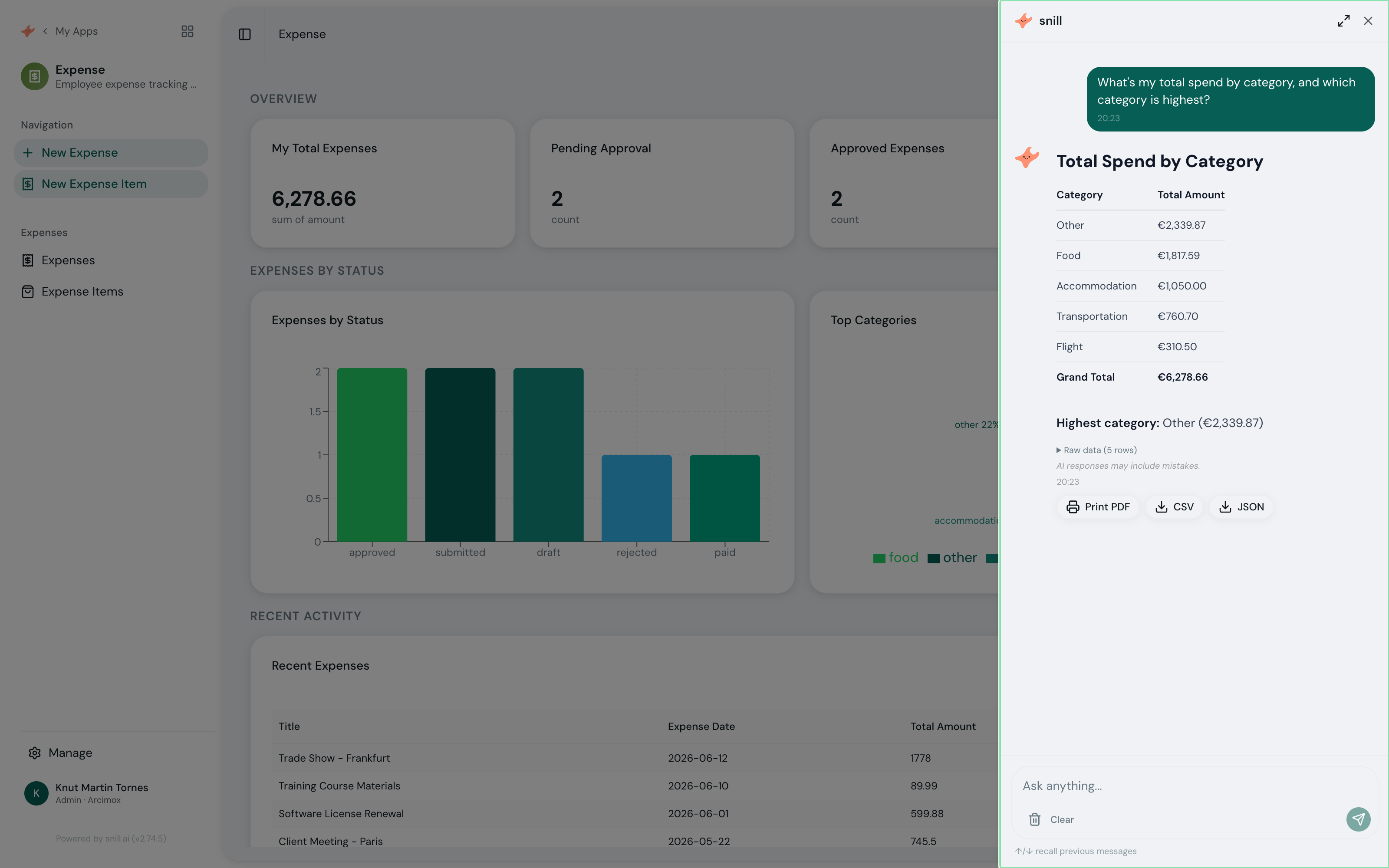
Expense reimbursement usually lives in a mess of email threads, photographed receipts, and a spreadsheet someone reconciles at month-end. The Expense Tracking App template replaces all of that with one system.
Start from the template and Snill generates a complete, relational app: Expenses with itemized Expense Items, receipt attachments, an approval workflow, and a ready-made dashboard showing pending approvals and spend. It’s a real database-backed system with a REST API and access control — so finance sees what’s waiting, and approved expenses roll up automatically.
Because Snill built it, you can change it just by describing what you want. Add a cost center, link expenses to projects, route approvals differently — keep talking, and the app keeps up.
From receipt to reimbursed — without the chaos.
Collect expenses with receipts attached
Employees submit expenses with itemized line items and receipt files attached — everything in one place, not scattered across email and chat.
Approve (or reject) in a clear workflow
Each expense moves through a submitted → approved/rejected flow, so finance always knows what's waiting and what's settled.
See spend at a glance
The built-in dashboard surfaces totals, pending approvals, and spend by category or employee — no setup required.
Everything it handles.
- Snap a photo of a receipt to auto-fill an expense item with AI
- Employee expense submission with itemized line items
- Receipt file attachments on every expense
- Submitted → approved/rejected approval workflow
- Ready-made dashboard: spend totals, pending approvals, and breakdowns

Built on Snill.
Ask questions in plain language and get summaries, reports, and charts you can print or share.
Describe a change and Snill makes it — or edit fields, layouts, and dashboards in the visual UI.
Every app ships a REST API, webhooks, multi-user roles, and one-click version rollback.
Import and export CSV or JSON anytime, with daily backups you can restore in a click.
Frequently asked.
What is the Expense Tracking App template?
It's a ready-made Snill app (a 'Snapp') for employee expense tracking and approval: it sets up Expenses with itemized Expense Items, receipt attachments, an approval workflow, and a live dashboard. Snill generates the whole system — database, dashboard, and a REST API — from the template, and you customize it in plain language.
Do I need to write code or design a database?
No. The template comes with a complete relational data model and dashboard. You start from it and refine in plain language or the visual editor — Snill handles the database, API, and access control.
How does the approval workflow work?
Each expense moves through a status flow (for example submitted → approved or rejected). The dashboard surfaces what's pending so approvers can act, and approved totals roll up automatically.
Can employees attach receipts?
Yes. Expenses support file attachments, so employees can upload receipt images or PDFs directly on the record — no separate storage to manage.
What can I customize after starting from this template?
Everything. Add fields (a cost center, a project link), new categories, change the dashboard, or adjust who can approve — by asking the AI or using the visual Appmodel Editor. Every change is versioned and reversible.
Does it come with an API?
Yes — every Snill app gets a REST API with an OpenAPI spec, scoped API keys, and webhooks, so you can sync approved expenses to your accounting tools without a developer.
What does it cost?
The Expense template itself is free. It runs on your Snill account — free for solo operators (2 apps, 1,000 records, 20 AI requests/day), or Pro at $29 a month flat, which covers one Admin and five Members and raises the limits on apps, records and AI. You're paying for your Snill account, not the template.
Can I import existing expense data?
Yes. Every collection supports CSV and JSON import with field mapping, so you can bring existing expense records into the app and export anytime.
Start from the Expense template.
It's free and runs on your Snill account. Create it in one click, then describe a change and watch it happen.