You've outgrown your spreadsheet. Here's how to replace it — without a developer.
Almost every team's operational software starts as a spreadsheet, and plenty of teams run on one long after it fits — because the alternatives always looked worse. That's changed. Here's how to tell you've outgrown yours, what a database app gives you instead, and how to switch by describing it — bringing your data with you.
The spreadsheet is the best way in the world to start. Free, instant, and it bends to anything — a client list today, a project tracker tomorrow, a makeshift CRM by Friday. Nothing else gets you from "we should track this" to tracking it in ninety seconds.
So teams keep running on one long after it fits. Not because they haven't noticed the strain — because the alternative always looked worse: hire a developer, or squeeze the work into a rigid SaaS tool. Faced with that, you patch the sheet one more time. Another tab, another lookup, another color-coded convention only you understand.
Here's the reframe: you haven't failed at spreadsheets. You've outgrown one. That's a milestone — it means there's enough real work happening that structure would now help more than it costs. The trick is making the jump without the old price tag. That part has genuinely changed.
Signs you've outgrown your spreadsheet
One of these is normal. Two or three at once means the sheet has quietly become the bottleneck:
- Two people, two versions of the truth. Someone overwrites a row someone else just fixed. "Who changed this, and when?" has no answer.
- You copy-paste to connect things. The same client is retyped into ten project rows. Rename them once and the data disagrees with itself.
- Everyone sees everything. You can't let the team update projects without exposing salaries — or stop a helpful teammate from sorting the sheet and scrambling everyone's rows.
- One formula nobody dares touch. A column of nested IFs only one person understands. One mis-dragged cell and the totals are quietly wrong for a month.
- No memory. Delete a row and it's simply gone — no history, no audit trail, no way to know what it held.
- It's an island. Your website, your accounting tool, your automations can't touch the sheet unless a human exports a CSV and emails it around.
None of this is you doing it wrong. It's the ceiling of a grid of cells. Past a certain amount of real work, you need something built for it.
What a database app gives you instead
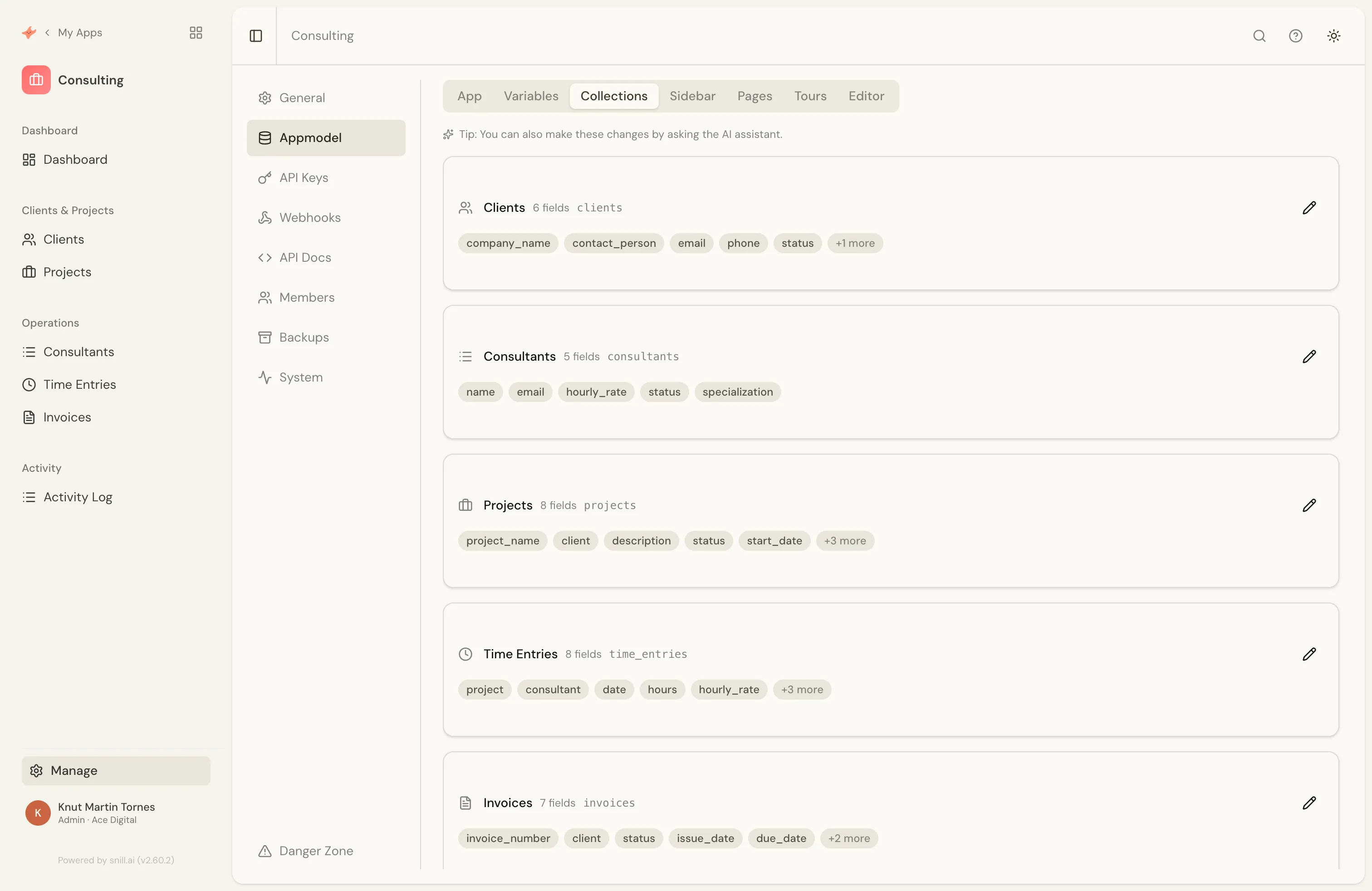
A database app solves each of those by design — not more formulas stacked on top, but real structure underneath. Point for point:
- Relationships instead of copy-paste. Clients, projects, and invoices are genuinely linked, not retyped. Rename a client once and every project, invoice, and report that references it follows. (See relationships in the docs.)
- Multi-user, with real access control. Everyone works in the same live data, and you decide who can see and edit what — down to a single field, like a rate or a salary. (See access control.)
- Rules and calculations that hold. Totals, validation, and workflows live with the data and can't be broken by a stray edit. That's worth its own article — how Snill turns plain-language descriptions into real business logic — but the short version: you describe the rule, and it's enforced.
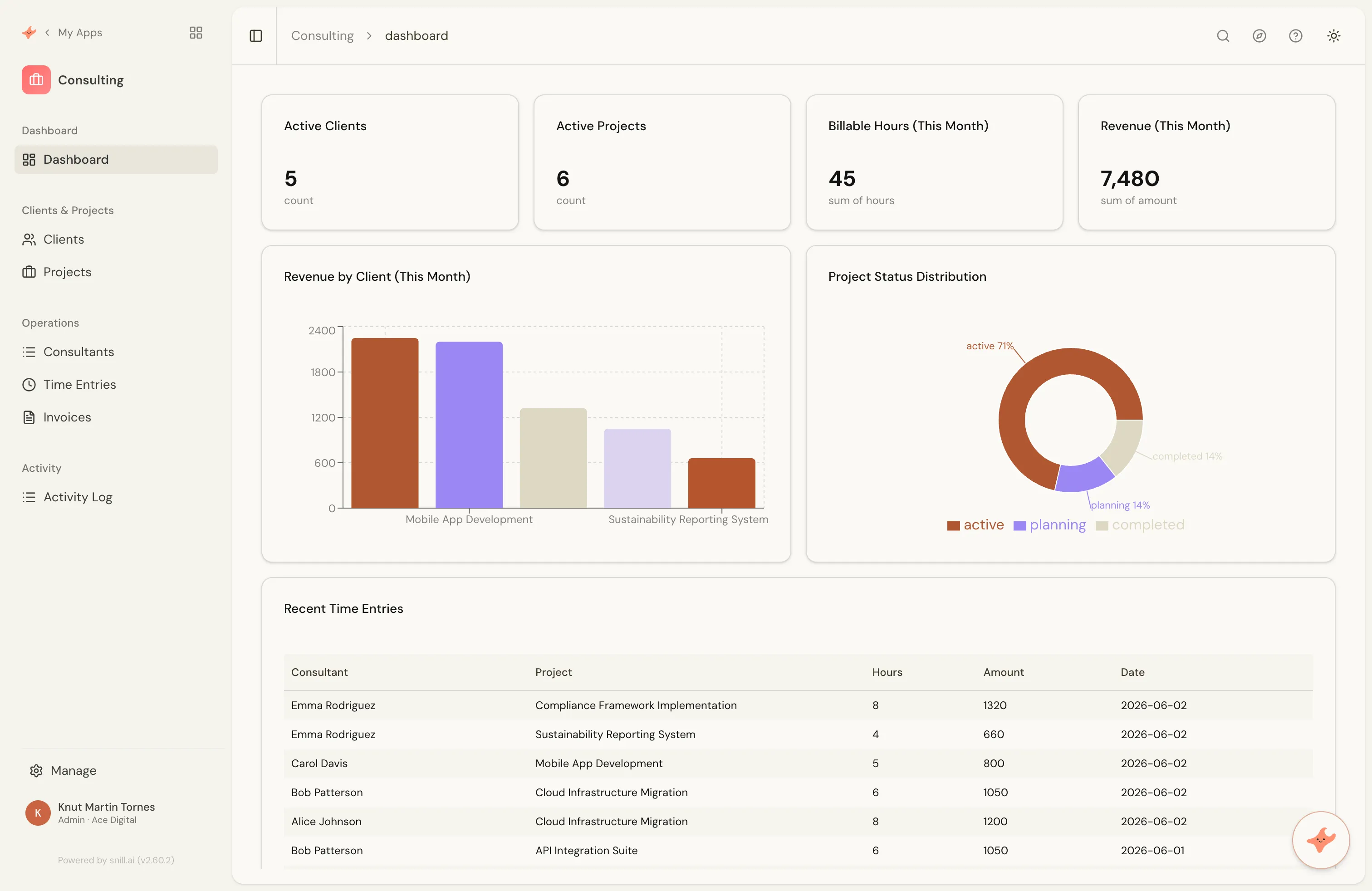
- Dashboards, not a monthly pivot-table ritual. The numbers you care about are always current, generated for your data rather than rebuilt by hand. (See dashboards.)
- A memory. Every change is recorded and versioned. Nothing silently vanishes, and you can see exactly what happened.
- An API. Other systems read and write your data directly — no more CSV shuffling between tools.
Why the jump used to be hard
If a database app is so clearly better, why does anyone stay on the sheet? Because every route to one came with a catch:
- Custom development — exactly what you want, for tens of thousands of dollars and months of waiting. And when it ships, the maintenance is yours forever.
- Off-the-shelf SaaS — fast to buy, but you bend your process to fit the tool, pay for features you'll never open, and still find the one thing you actually needed isn't there.
- Low-code builders — more flexible, but now you're the developer: dragging fields onto canvases, wiring up logic, learning a whole tool. Compared to that, the spreadsheet felt easy.
Every path asked you to either spend a lot or become a builder. Most teams take one look and go back to the sheet. That's the real reason spreadsheets outlive their usefulness — not the sheet, the alternatives.
The Snill way: describe it, and bring your data
Snill removes the tradeoff. You describe your business the way you'd explain it to a new colleague — "I track clients, projects, time entries, and invoices; a project belongs to a client; only managers can see rates" — and it generates a complete app: the data model, the relationships, dashboards, access control, and a live REST API. No dragging fields, no formulas, no developer, no months.
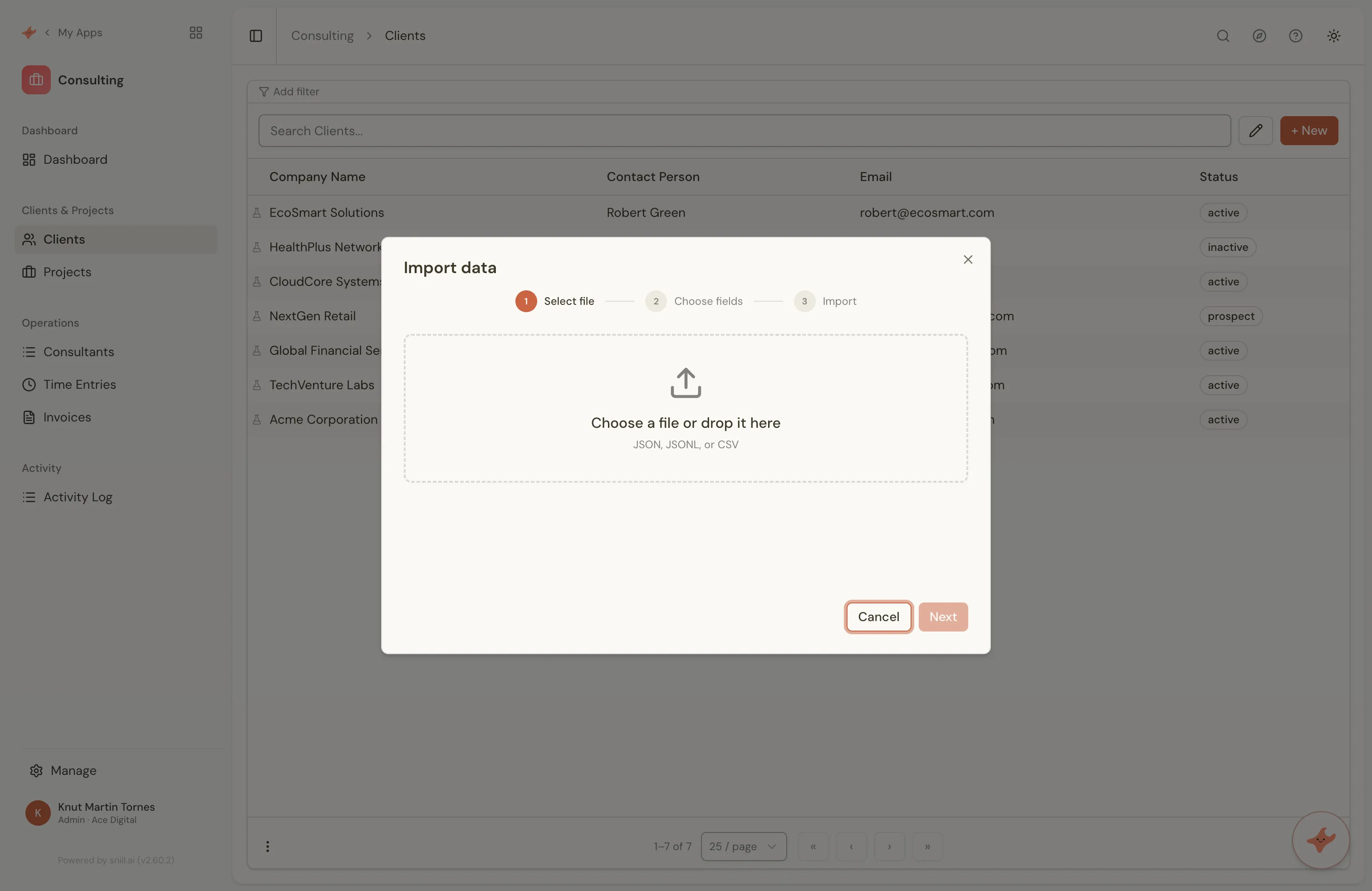
And you don't start from an empty grid. Every collection imports from CSV or JSON with field mapping, so the data already living in your spreadsheet comes straight across. (See import & export.) You're not rekeying months of records — you're upgrading the container around them.
From there it grows the way a sheet never could. Describe a change — a new field, a status, a rule, another dashboard widget — and the app reshapes to match. Safely: every change is versioned and reversible, so nothing is a one-way door. The app is never "finished" — it keeps becoming whatever the business needs next.
You don't lose what made the spreadsheet great
The reason spreadsheets win in the first place is flexibility: change anything, instantly, without asking permission. The fear about moving to "real software" is trading that away — gaining reliability, losing the freedom.
Snill's whole bet is that you don't have to choose. You keep the describe-it-and-it-changes flexibility that made the sheet feel effortless, and you gain relationships, permissions, history, and an API underneath it. The spreadsheet's freedom, on a foundation that doesn't crack when the team grows or the work gets serious.
Your spreadsheet got you here — and that's exactly why it's straining. There's real work happening in it now. Describe that work to Snill and get the system it deserves.
Replace your spreadsheet → — it's free to start, or begin from a ready-made template and import your data into it. (Coming from Airtable rather than a spreadsheet? The same move from Airtable works the same way.)