How to add business logic to your app — in plain language
Storing records is the easy part. The logic around them — what to calculate, what to enforce, what to do when something changes — is where most tools hand you off to a developer. With Snill you describe that logic the way you'd explain it to a colleague, and it becomes real: server-enforced, recalculated in real time, and reversible.
Snill is built on a single idea: if you can explain your business to a new colleague, you can build the software to run it. You describe what you do and get a working app — a real database, dashboards, an API. But Snill isn't a one-shot generator. You keep describing — a new calculation, a new rule, a new "when this happens, do that" — and the app keeps reshaping to fit. This post is about the part everyone assumes is the exception: the logic. Surely that still needs a developer. It doesn't. It's the same motion, all the way down: describe it, and it's real.
Every business app is really two things: a place to keep your data, and the rules that make the data mean something. A time entry is just a number of hours until something multiplies it by a rate. An expense is just a form until something requires a receipt over a threshold. A contract is just a date until something warns you before it lapses.
That second part — the business logic — is traditionally the expensive part. It's where spreadsheets turn into a maze of nested formulas nobody dares touch, and where off-the-shelf SaaS says "that's not configurable." Snill takes a different route: you describe the logic in plain language, and it compiles your description into real constructs the platform runs and enforces. No formulas to memorize, no code to write.
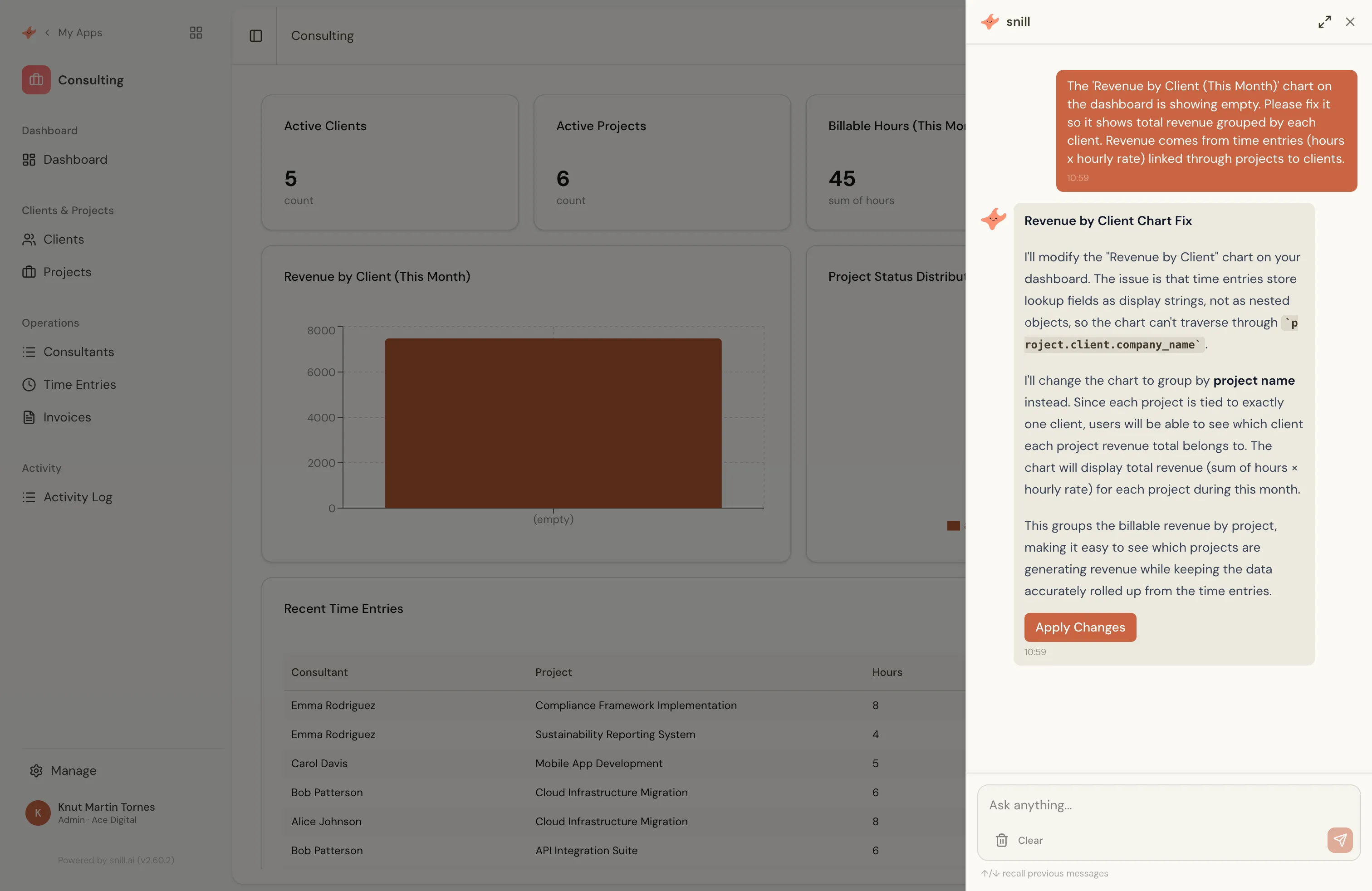
There are three kinds of logic you'll reach for. Each one is a sentence you say — and a piece of your app that didn't exist a minute ago.
1. Calculations — "the amount is hours times rate"
A calculated field computes its value from other fields and updates automatically whenever those inputs change. You don't write the formula — you describe the result:
"The line amount is hours times the consultant's rate."
Snill adds a calculated field that does exactly that. Under the hood it's a small expression — something like hours * rate — but you never opened a formula editor. Calculations also roll up across related records. In the consulting template, a project's billable hours is an aggregate:
SUM(time_entries.hours)Add a time entry, edit one, delete one — the project's total recomputes on its own. The same pattern totals an expense report from its line items (SUM(expense_items.amount)) or counts open corrective actions on an incident. Ask for "the total, including VAT" and you get SUM(lineItems.amount) * $vatRate, where $vatRate is a global variable you set once and reuse everywhere.
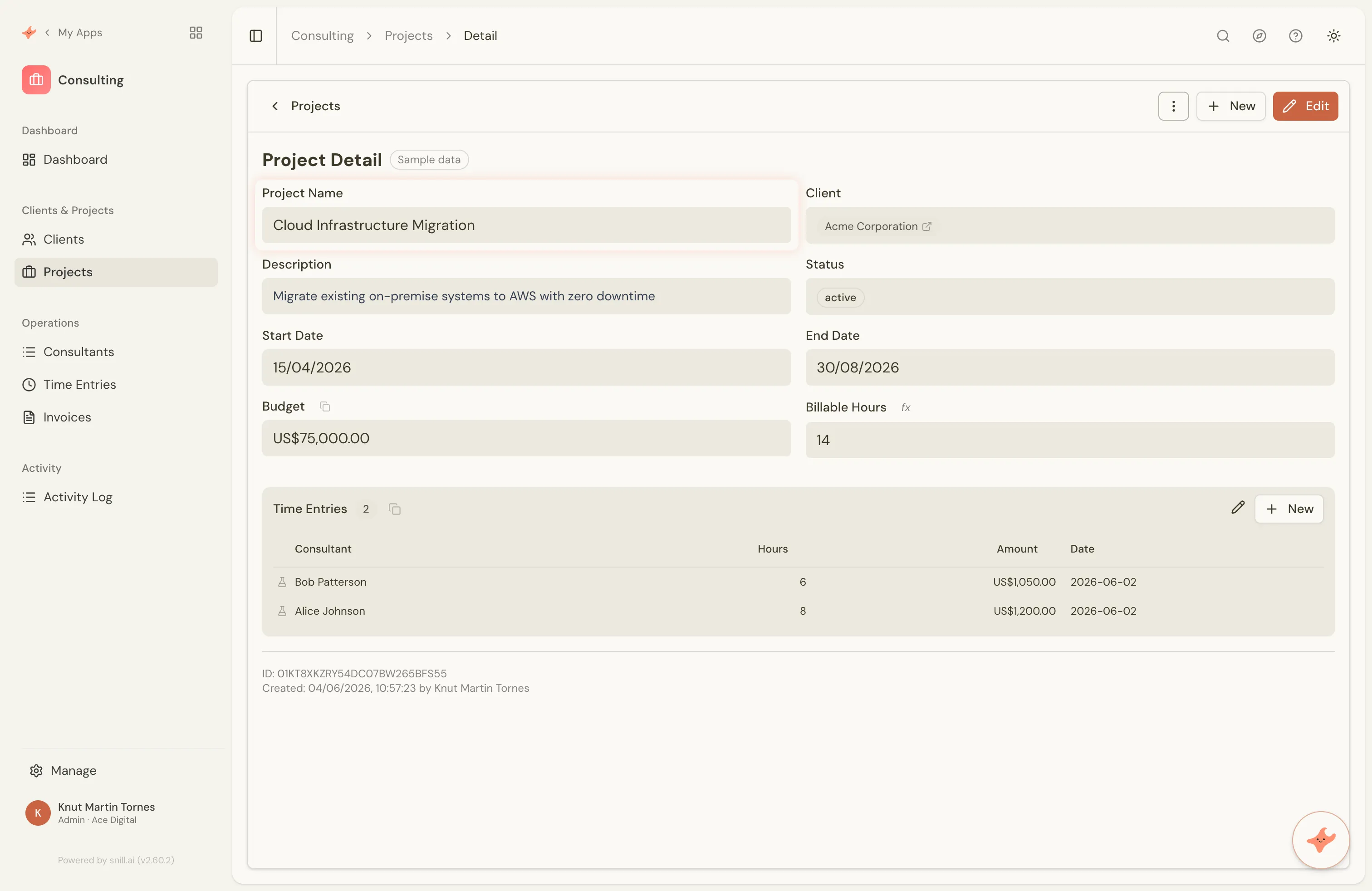
Billable Hours field is an aggregate summing the project's time entries — recomputed automatically as entries change.2. Rules — "require a receipt over 10,000"
Calculations make your data compute itself. The next layer is making it behave. Rules control what's allowed and what happens as people fill in a form — and again, you describe the condition and the consequence:
"Require a receipt when the amount is over 10,000."
"When a time entry isn't billable, set its amount to zero."
"The end date must be after the start date."
Each becomes a rule with a condition and one or more actions — make a field required, show or hide it, or validate it with your own error message. That second example is a real rule from the consulting template: when billable is false, the amount is forced to 0. Rules can also stamp metadata automatically — when an expense's status becomes approved, Snill records who approved it and when, without anyone typing it.
Two things make these rules trustworthy rather than cosmetic:
- They evaluate instantly. A field becomes required, hides, or shows an error the moment the relevant value changes — as the user types, no save required.
- They're enforced on the server. A rule isn't just hidden in the interface. An unauthorized or invalid change is rejected even if it comes in through the REST API, not the app. The logic lives with the data, so it can't be bypassed.
3. Triggers — "email the owner 30 days before a contract ends"
Calculations and rules react to a single record as it's edited. Triggers react to events — something changed, a total crossed a line, a date arrived — and take action. There are three kinds, and you set them up the same way as everything else: by describing them.
- On change — "When an order's status changes to shipped, email the record's owner."
- On a threshold — "Fire a low-stock alert when more than five products drop below ten in stock."
- On a date — "Email the owner 30 days before a contract's end date." That last one is exactly how the contract template catches renewals before the notice window closes.
A trigger can send an email directly — with real field values dropped into the subject and body — or emit an event that outbound webhooks deliver to any other system you run. So "notify the manager" and "sync this to our accounting tool" are the same kind of instruction: describe the moment, describe the action.
It all runs in real time
None of this is a nightly batch job. Calculated fields recompute the instant their inputs change. Rules fire as the form is filled in. Aggregates update the moment a child record is added or removed. Change a shared variable like a tax rate and every formula that references it recalculates. The app you're looking at is always the current truth, never a stale snapshot.
And it's all reversible
Here's what makes it safe to keep describing. Every change to your app's structure and logic is versioned. If a new rule does the wrong thing, you roll back to any earlier version in one click. Nothing is a one-way door — which is exactly why an app that evolves this fast stays trustworthy.
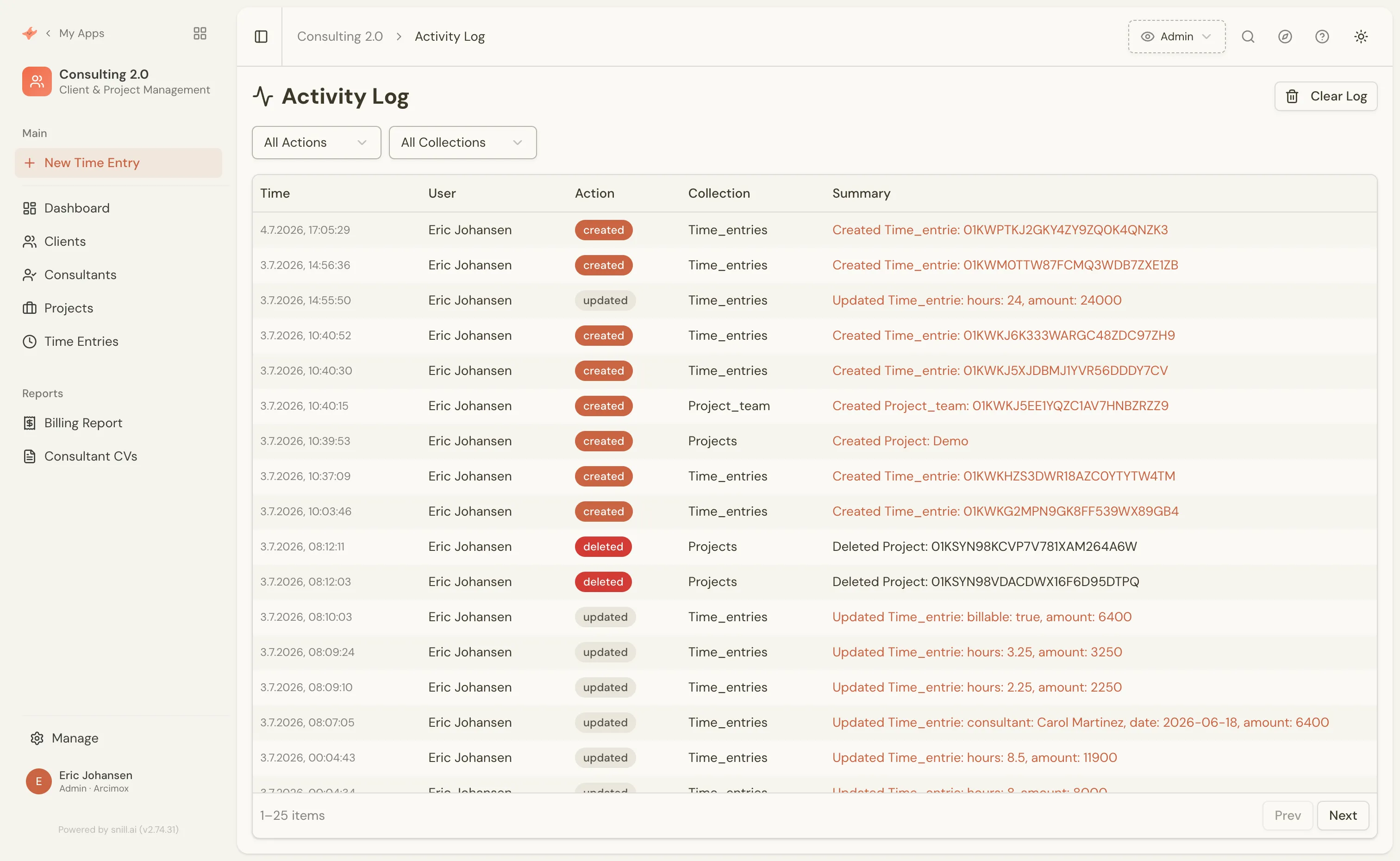
Alongside that, an activity log records every data change and every custom event your triggers fire — who did what, to which record, and when. When a calculation or trigger does something you didn't expect, you can see precisely what happened and why, then adjust by describing the fix.
You keep the knowledge. Snill does the translation.
The reason business logic has always needed a developer isn't that the logic is hard — you already know it. It's that it had to be translated into a machine's language: formulas, validation code, cron jobs, event handlers. That translation was the cost — and it's why most internal tools freeze the day they ship.
Snill removes the translation, and with it the freeze. Your app is never "finished" — it keeps becoming whatever your business needs next. A new calculation, a stricter rule, one more trigger: each is a sentence, and each lands as real, enforced, live logic you can roll back if you got it wrong. The knowledge stays yours. The translation is handled — today, and every time your business changes.
Describe your first rule → — it's free to start, or begin from a ready-made template and change its logic by asking.