How to build a hiring tracker without a developer
A recruitment tracker is one of those internal tools every growing team needs and nobody wants to build: candidates, open roles, a pipeline, interviews. So teams overpay for an applicant tracking system or run hiring out of a spreadsheet. Here's a third option — built live, in a single conversation. Every screenshot below is real, straight from the session.
No mock-ups, no "imagine if." We described a hiring tracker to Snill, hit build, and captured what came back. Then we asked for a change — same chat, plain language — and captured that too. Start to finish, here it is.
One prompt
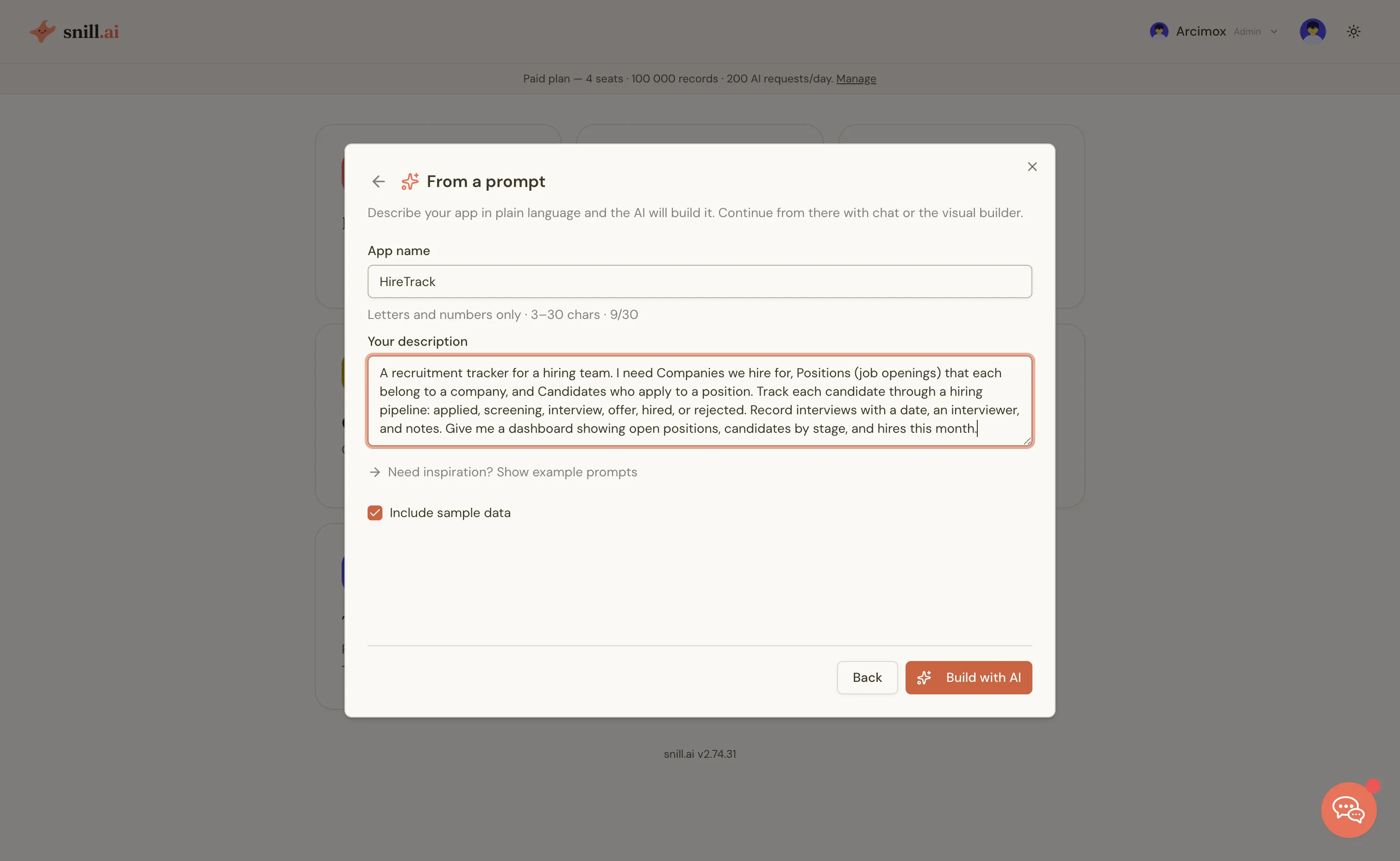
The entire input was a paragraph, the way you'd brief a new hire on what you need:
"A recruitment tracker for a hiring team. I need Companies we hire for, Positions (job openings) that each belong to a company, and Candidates who apply to a position. Track each candidate through a hiring pipeline: applied, screening, interview, offer, hired, or rejected. Record interviews with a date, an interviewer, and notes. Give me a dashboard showing open positions, candidates by stage, and hires this month."
Seconds later: a working app
Snill named the app HireTrack, designed the data model, built the screens, generated a dashboard, and loaded sample data so there was something to look at. Four connected collections — Companies, Positions, Candidates, and Interviews — exactly the structure the paragraph implied.
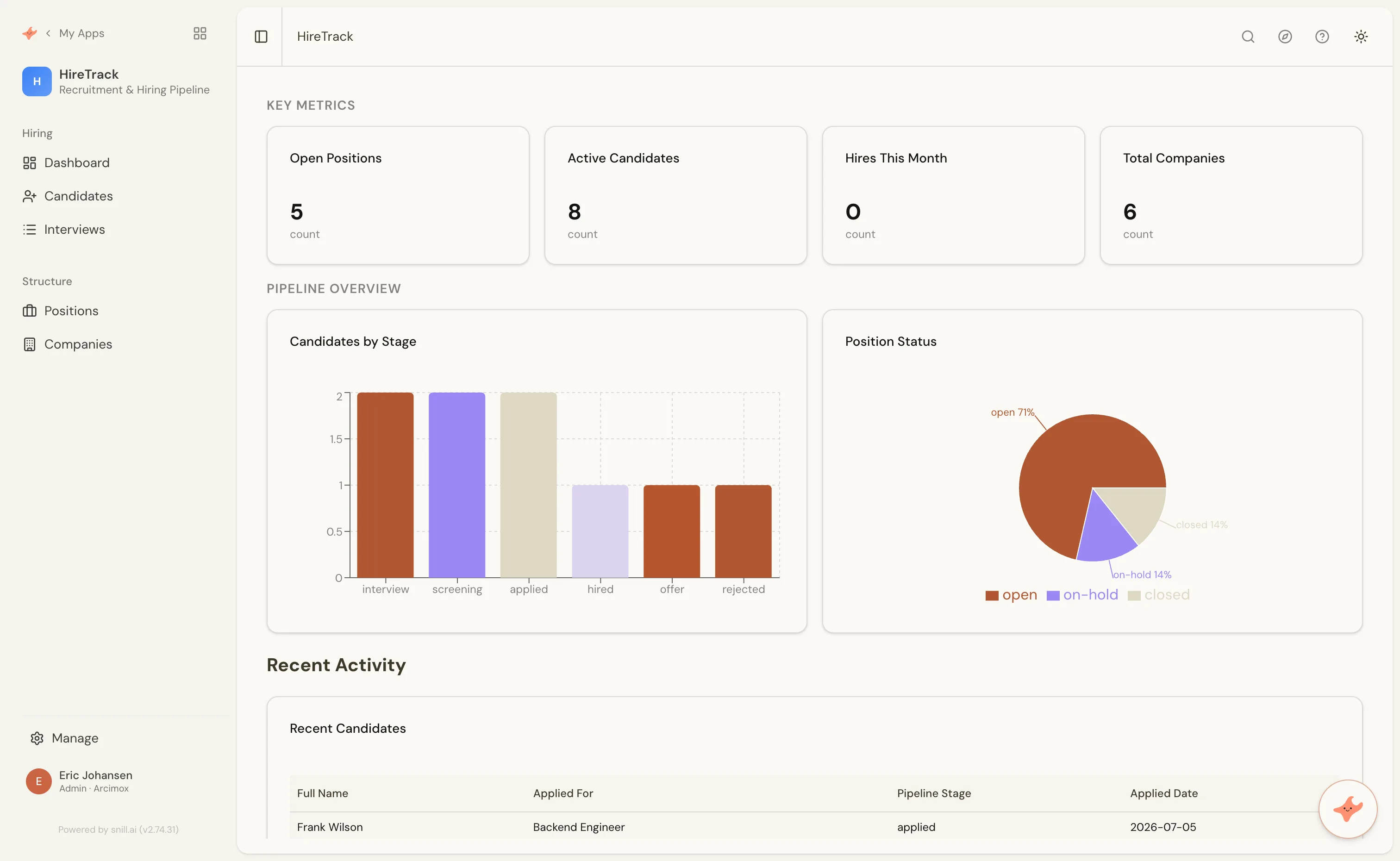
Every number is live, computed from the data underneath — five open positions, eight active candidates, six companies. The candidates-by-stage chart and the position-status donut are reading real records, not placeholder art.
Real structure, not a screenshot
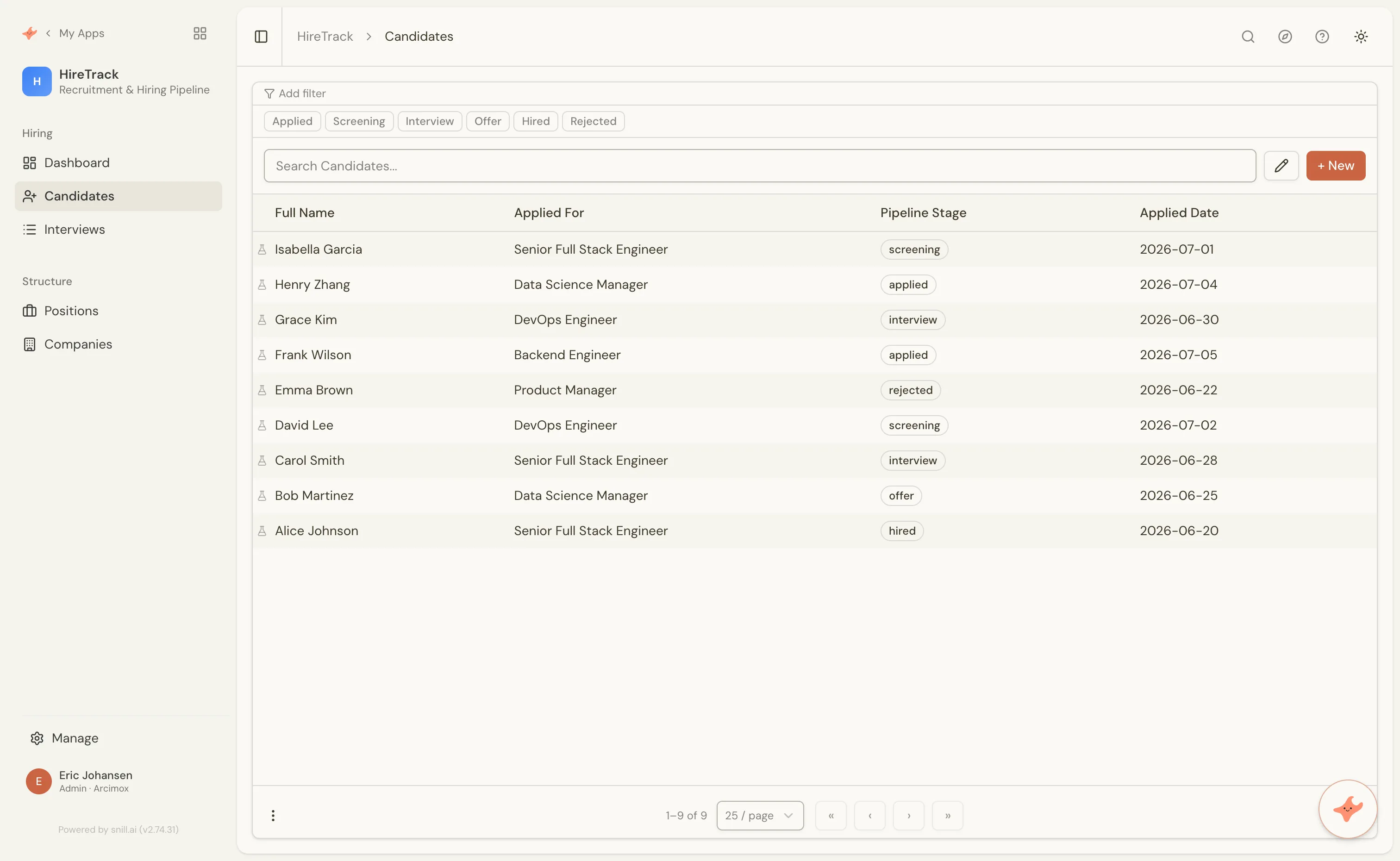
Click into Candidates and it's a proper list: each applicant linked to the position they applied for, a pipeline stage, an applied date — and one-click filters for every stage of the funnel. The relationships from the prompt ("Candidates who apply to a position" that "belongs to a company") are wired up as real links, not columns you retype.
Now change it — just ask
An app is only useful if it keeps up with you. Say the team wants to know where applicants come from. There's no field for that — so we asked for one, in the same chat:
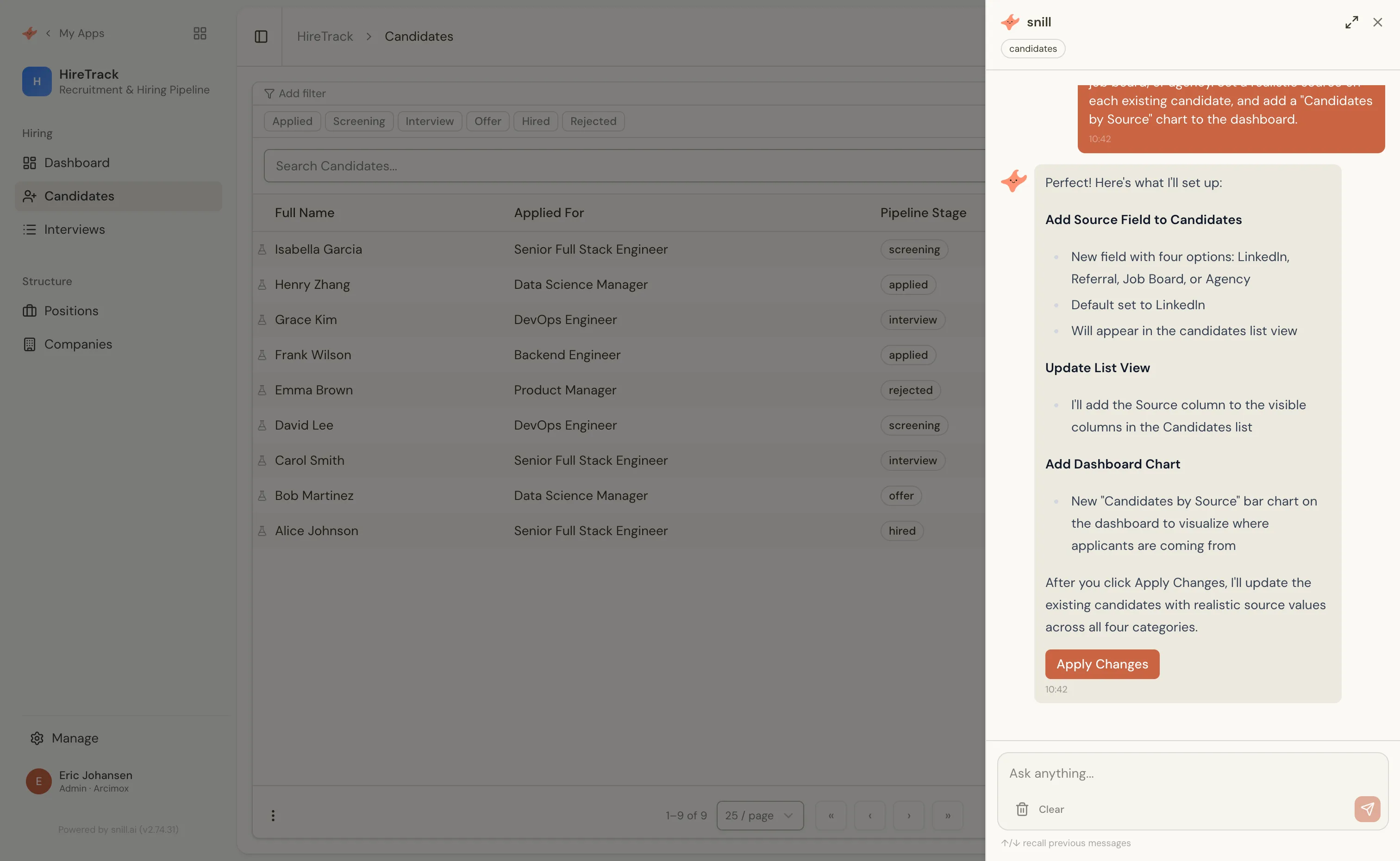
"Add a 'Source' field to Candidates for where each applicant came from — LinkedIn, referral, job board, or agency. Set a realistic source on each existing candidate, and add a 'Candidates by Source' chart to the dashboard."
Snill didn't just do it silently. It laid out exactly what it would change — a new field, an updated list view, a new dashboard chart — and, because the request touched real records, showed the precise data edits and waited for a click before saving anything.
The app reshaped itself
One click later: the field existed, all nine candidate records (active and closed) had a realistic source, and a new "Candidates by Source" chart sat on the dashboard next to the ones from the original build — as if it had been there all along.
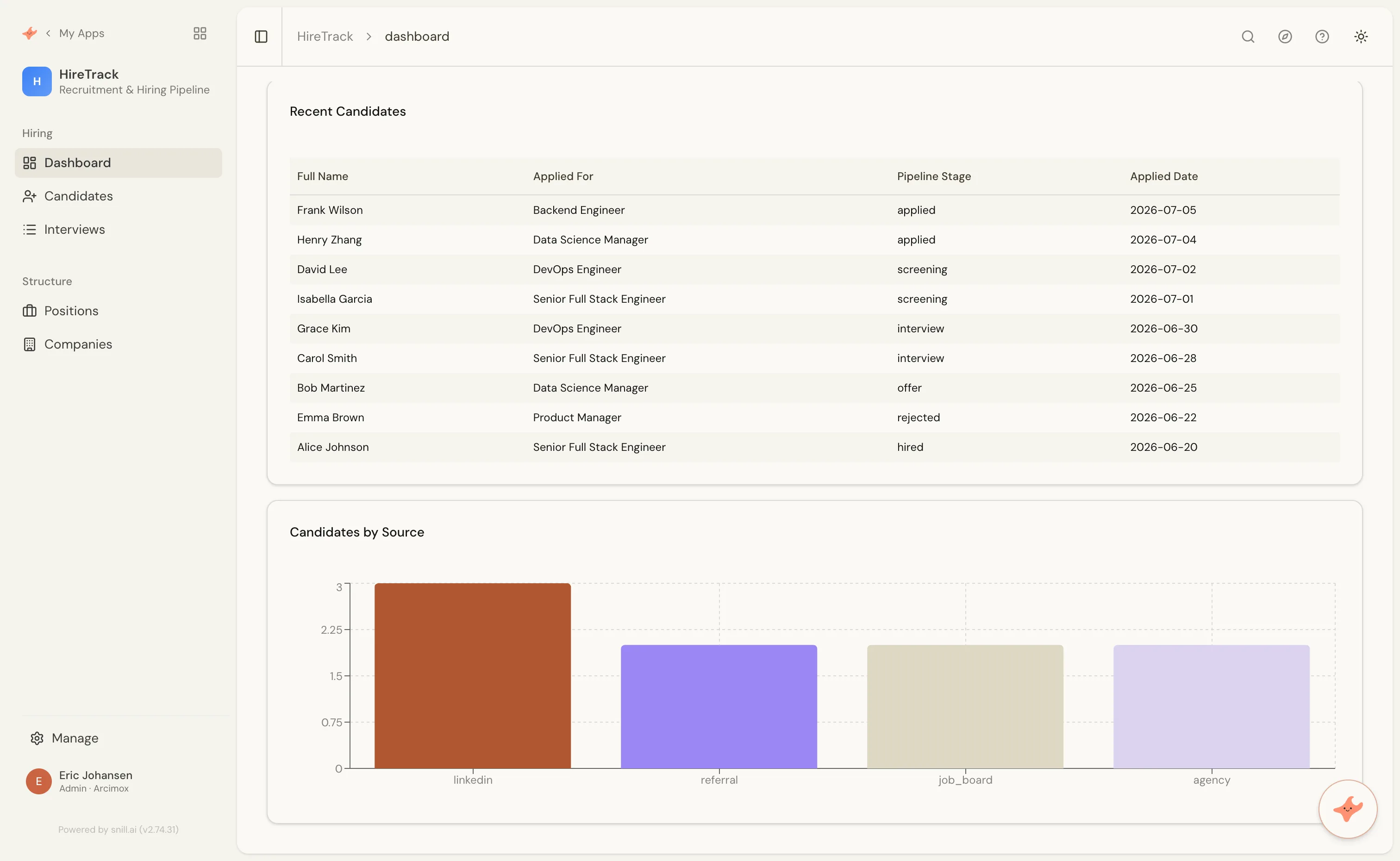
That's the part a spreadsheet or an off-the-shelf tool can't match. The app isn't frozen the moment it's built — it keeps reshaping as you describe what you need next, and every structural change is versioned, so nothing is a one-way door.
From a sentence to a system
Start to finish: one paragraph and one follow-up. No developer, no schema design, no forms laid out by hand. What came out is a real, multi-user app with a relational data model, a dashboard, and a REST API underneath — the same foundations every Snill app runs on. And the logic you'd expect it to enforce — required fields, stage rules, calculations — is described in plain language too.
An applicant tracking system is just the example. The same conversation builds whatever internal tool your team keeps meaning to get around to — or you can start from a ready-made template and shape it from there.
Describe your app → — it's free to start, and it's a working system in about the time it took to read this.