Run your app in any language your team speaks
The people who use an internal tool rarely share one first language, and most tools make you pick one so everyone else copes. In Snill you can ask for another language and get it, because language here is presentation. The words change, the data underneath stays exactly what you wrote.
That separation is what makes it safe to switch on. Multi-language usually gets risky because the translation leaks into the data, so a status ends up stored in two languages and a report or an integration breaks on a word it doesn't recognise. Snill keeps the two apart. You change the words people see, not the values your app runs on.
In this post we'll walk through the three ways to do it (ask the assistant, manage the locales yourself, or fix single words in a table), and why none of them touch what's stored.
Translate the whole app by asking
The fastest way is to just ask. Tell the assistant "translate this app to German" and it walks every authored string (collection and field labels, page titles, the display of dropdown options, help text) and fills in German. Ask for Norwegian too, and the same app now has three languages. Each person picks theirs from a menu and the whole app re-renders in it, so there's no second copy of the app to keep in sync.
Or manage the languages yourself
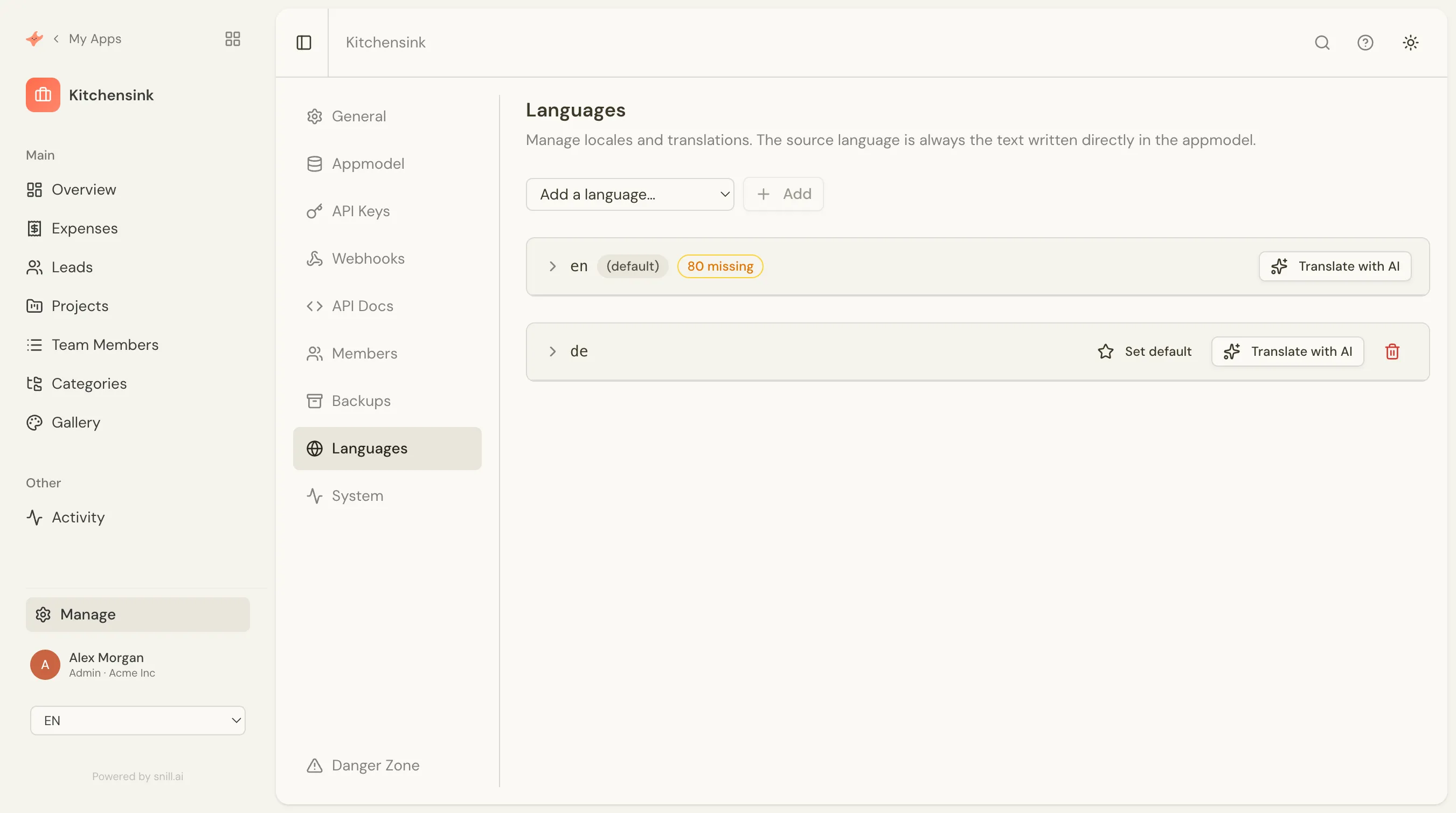
When you'd rather steer it, everything lives under Manage → Languages (admins only). Add a locale, choose the app's default, and instead of handing it all to the AI in chat, click Translate with AI to fill a single language in one pass. It only fills what's missing, so any wording you've set by hand is preserved.
Fix any word in the translation table
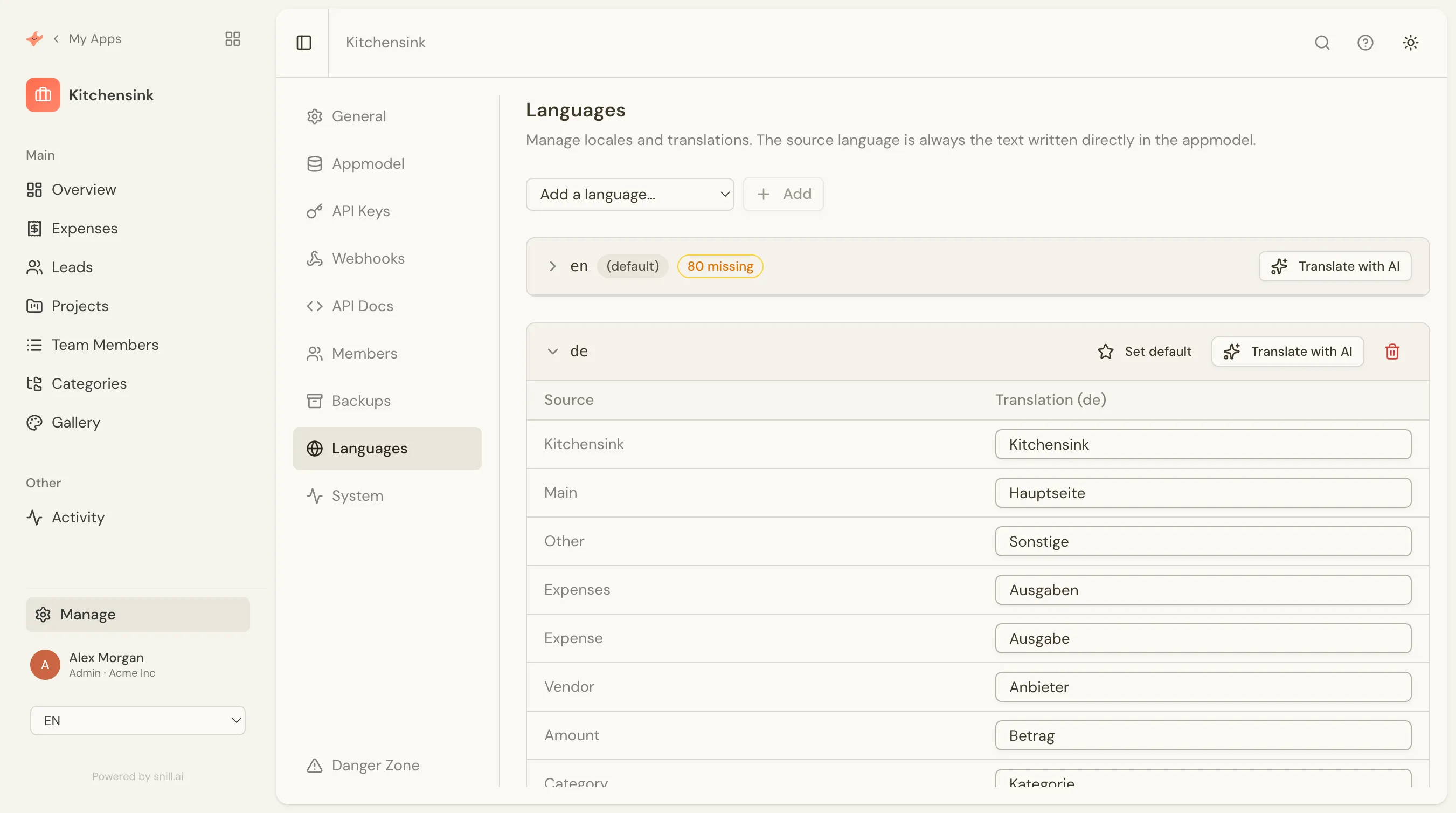
Every authored string gets a row, with its translation editable beside it, one table per language. Change a cell and that's the translation. Leave one blank and it falls back to the original, so a half-translated app still works while you finish. This is where you tune the machine output, and swap a stiff, literal translation for the phrase your team uses on the floor.
Why your data never changes
Translation changes only what's rendered in the browser. Your field keys, your records, and the stored values behind dropdown options stay exactly as you wrote them. A status stored as paid is still paid whether the user sees "Paid", "Betalt" or "Bezahlt", so your filters, your reports and the REST API behave identically in every language. An integration never sees a translated value, and nothing downstream has to know the app is multilingual at all. (See languages in the docs.)
Who it's for
- Distributed teams - a field or warehouse crew that works in one language and a head office that works in another, sharing one system.
- Companies operating across borders - one app, several countries, each office in its own language (and since your data and the AI both run in the EU, without shipping that data elsewhere to do it).
- Any rollout to staff who don't work in English - a tool people read in their own language is a tool they'll adopt.
Summary
Your data model is one thing, and the words wrapped around it are another. Ask the assistant for a language and it fills the whole app. Manage the locales yourself under Manage → Languages when you want more control, and fix single words in the translation table when the machine output isn't how your team talks. Whatever you change, the values your app runs on stay as you wrote them, so everything downstream behaves the same in every language.
Describe your app → - it's free to start, in any language your team speaks. Or begin from a ready-made template and translate it in a sentence.